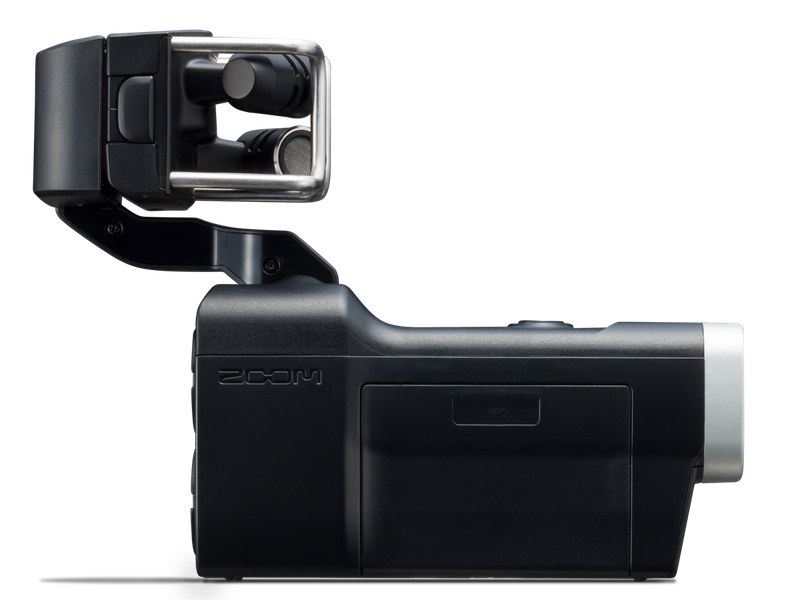
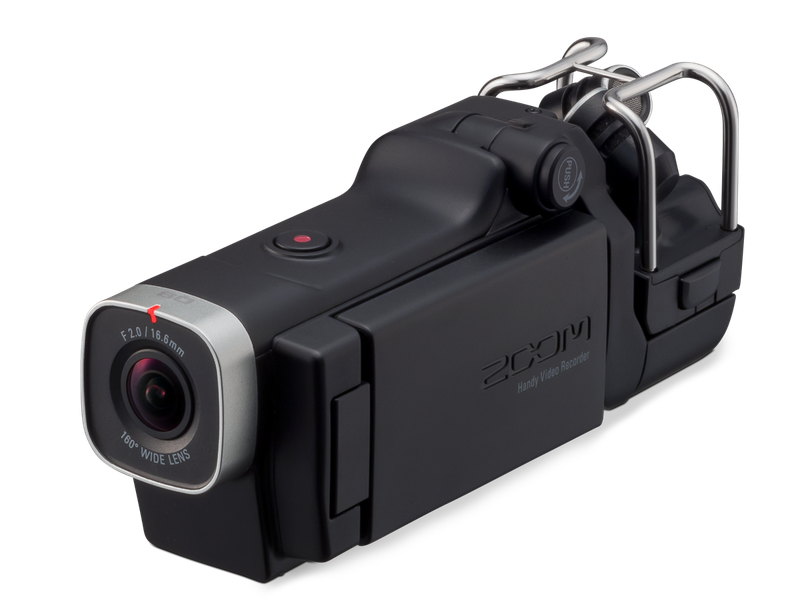
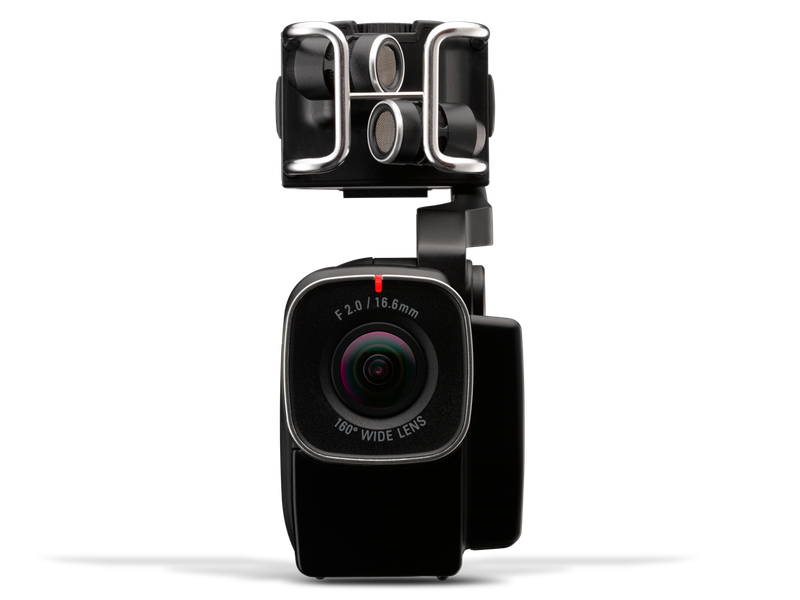
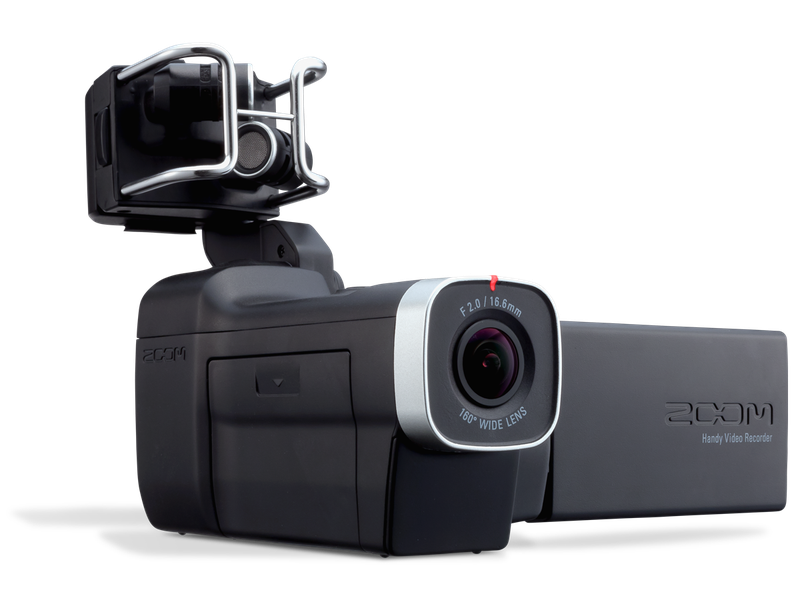
Support for five HD video modes, up to 2304 x 1296 pixels (3M HD), as well as two WVGA modes
Compatible with all Zoom microphone capsules (sold separately). high-high-quality 160° wide-angle lens with selectable viewing angles.0/16.6mm)
Up to four tracks of simultaneous audio recording
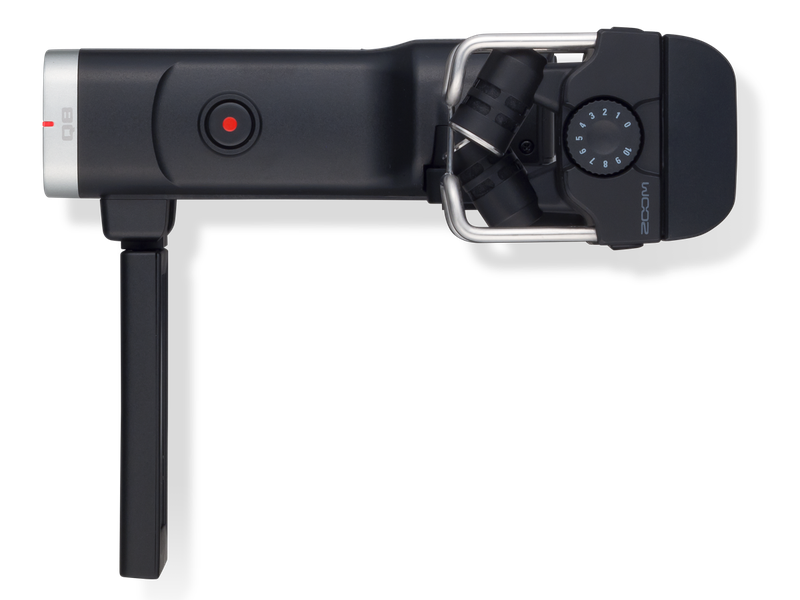
Supplied detachable stereo x/Y microphone (xyq-8)
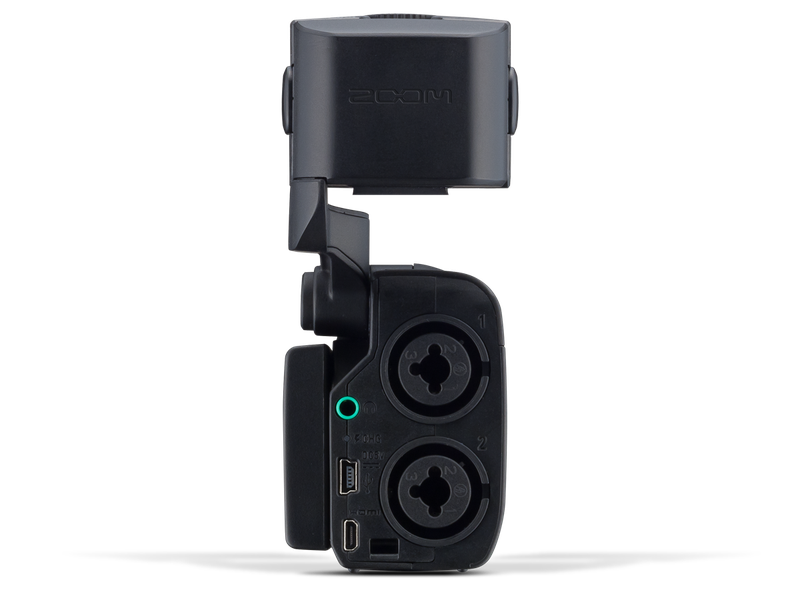
Full-color rotating LCD touchscreen
The Q8 marries high-definition video with high-resolution audio, making it the perfect camera for music and video creators everywhere. Its 160 degree wide-angle lens and digital zoom ensure that you’ll always capture the complete picture. Combine that with ZOOM’s groundbreaking interchangeable mic capsule system and two XLR/TRS combo inputs for a world of options.
THE TOTAL PACKAGE
Easy to use and full-featured.
The Q8 offers a large full-color LCD touchscreen for ease of use, along with a wealth of advanced features. Dual combo XLR/TRS inputs allow the connection of external microphones and line-level sources, and a built-in speaker and stereo Headphone/Line Out jack provide audio monitoring; there’s even an HDMI output for video monitoring.
Its high-quality 160-degree wide-angle lens and flexible mounting options mean that you can shoot high-def video anywhere you go. Plus there’s a USB output that allows the Q8 to be interconnected with your computer so you can use it with your favorite streaming or editing software.
YOUR GO-TO TOOL
Whatever you create, wherever your imagination takes you. Whether you’re a musician, indie filmmaker, podcaster, blogger, teacher, or video pro, you’ll find the Q8 to be the perfect creative companion.
CAPTURE THE TOTAL EXPERIENCE.
Great performances can be elusive … but with the Q8, they can live forever. Capture the total experience — not just the sights but the sounds, too. Shoot video from the audience and use the supplied wide-angle X/Y mic to capture immersive sound. Take your Q8 onstage to get close and provide the musician’s perspective. Or use it at the mixing position to combine sharp high-def video and stereo room sound with the crisp, clean audio signal coming straight from the board.
RUN AND GUN.
The compact size of the Q8 and its compatibility with both tripod mounts and three-prong action camera mounts mean you can shoot footage anywhere, from perspectives other cameras simply cannot capture. Take it to remote locations. Indoors or outdoors, wherever you go, you can count on your Q8 to deliver crisp video with superior audio.
UNIQUE PERSPECTIVE, PRO QUALITY.
Get creative and do it right. By bringing together high-definition video and high-resolution 24-bit/96k audio, the Q8 allows you to take your YouTube creations and podcasts to a whole new level. Use your Q8 to educate and entertain, turn viewers into subscribers, and let advertisers know that you’re the real deal.
MAKE A STATEMENT
Don’t let anything get in the way of the story. The Q8 is perfect for electronic newsgathering, for conducting interviews, and for creating personal video blogs and podcasts. Capture video and audio to an SD card for later editing with your favorite software or stream it live; you can even use the Q8 as a web camera or USB microphone.
SPREAD THE WORD
With its high-quality sound and crisp, sharp video, the Q8 is the perfect teaching tool, ideal for creating detailed video lessons and demonstrating fingerings, bowings, and other playing skills. Use it to capture students’ rehearsals and performances so they can review and perfect both form and technique, documenting and enabling their musical growth.
FEATURES THAT MATTER
With single-button recording, self-timer, high quality wide-angle lens, and sensing options that automatically adapt to various lighting situations, the Q8 is the ideal tool for creating professional-quality videos with pristine audio.
Transfer the files to your favorite editing software via USB and turn your raw footage into high-quality productions. The Q8’s compact size makes it the perfect B-roll camera too, allowing you to go where your big rig can’t and capture video from unusual angles. You can even use the Q8 as a standalone audio field recorder.
COMPLETE COMPATIBILITY FOR TOTAL VERSATILITY.
The Q8 comes with its own specially designed detachable X/Y microphone, yet it’s compatible with most Zoom microphone capsules. If you already use an H5 or H6, you can swap their capsules with the Q8 too.*
COMPLETE COMPATIBILITY FOR TOTAL VERSATILITY.
The Q8 comes with its own specially designed detachable X/Y microphone, yet it’s compatible with most Zoom microphone capsules. If you already use an H5 or H6, you can swap their capsules with the Q8 too.
FULL RANGE, CRYSTAL CLARITY
The Q8 delivers that same great Zoom sound quality you’ll find in all of our products, with support for high-resolution 24-bit/96kHz audio. It comes with a high-quality detachable X/Y microphone or you can connect different Zoom mic capsules.
A low-cut filter and foam windscreen allow you to eliminate low-frequency noise and rumble, as well as a built-in compressor and limiter. Audio can be recorded along with video, or the Q8 can be used as a standalone stereo or four-channel audio-only recorder.
GO BEYOND HIGH DEFINITION
The Q8 goes beyond standard HD, offering 3M HD (2304 x 1296 pixels @ 30fps /24mbps) as well as two kinds of HD (24mbps and 16mbps for increased storage capability) at frame rates of up to 60 fps at 720p for capturing fast action video. Support for both standard and HD video file formats assures that you’ll have plenty of options when it comes to storage and streaming.
Its F2.0 aperture / 160˚ wide-angle lens ensures that you’ll capture every moment with full realism and sharp definition. The Q8 comes with 10 “Scene” presets which allow you to use it in a variety of lighting conditions, from direct sunlight to low-light. These presets include "Concert Lighting" (which can be adjusted for lighting conditions that can drastically change) and "Concert Low-Light," both designed for dimly lit locations. More specific settings allow you to tailor the camera for shooting in jazz clubs, rehearsal studios, and the outdoors.
FLEXIBLE MOUNTING
CHANGE YOUR POINT OF VIEW
Need a different POV? The Q8’s got you covered. Not only can it be attached to any standard tripod, it comes with a tripod-to-three-prong converter, so you can use it with every kind of action camera mount, too.
Take your Q8 onstage and mount it to your mic stand, amp, or drum kit. Shoot video from front row center and use the supplied stereo X/Y microphone to capture the audience experience. Or use the Q8 at the mixing position and record the feed from the board, as well as the sound of the room. Use multiple Q8s for a dramatic mix of different angles — the full-color touchscreen LCD is fully rotatable so you can always view your image regardless of camera positioning.
Digital zoom (1.0x-4.0x) , Scene selection (Auto/Concert Lighting/Night) , Self timer (Off, 3 seconds, 5 seconds, 10 seconds)
DISPLAY
2.7" full-color LCD touchscreen
BUILT-IN SPEAKER
400mW 8 Ω mono speaker
L/R inputs
X/Y MIC (XYQ-8)
120° X/Y stereo format
MAXIMUM SOUND PRESSURE INPUT
140 dB SPL
INPUT GAIN
∞ to +52 dB
EQUIVALENT INPUT NOISE
− 120 dBu or less
INPUT 1/2 Input
CONNECTORS
TRS/XLR combo jacks
INPUT GAIN (PAD OFF)
−∞ to 55 dB
INPUT GAIN (PAD ON)
−∞ to 35 dB
INPUT IMPEDANCE
1.8 k Ω or more
MAXIMUM INPUT LEVEL
+22 dBu (PAD ON)
PHANTOM POWER
+12/+24/+48V (Global for INPUT 1 and 2)
Output
CONNECTORS
Combined line/headphones stereo mini-jack . Type D micro HDMI
USB
CONNECTOR
USB Mini B type
OPERATION AS MASS STORAGE
Class: USB 2.0 High Speed
OPERATION AS AUDIO INTERFACE
Class: USB 1.0 Full Speed
OPERATION AS WEBCAM
WVGA/720p video size, 48kHz 16-bit audio
Note: Operation as audio interface and mass storage supported with iPad (Apple Camera Connection Kit required) Note: USB bus power supported
Power
POWER SUPPLY
Lithium ion battery | DC 4.2V maximum voltage, | DC 3.7V nominal voltage, | 1700mAh capacity
Battery recharging times
USB
4 hours, 30 minutes (approximate)
AC ADAPTER
2 hours, 45 minutes (approximate)
BATTERY OPERATION TIME
More than 2 hours (when recording 720p/30fps)
Dimensions
MIC LOWERED
158mm (L) x 48mm (W) x 69mm (H)
MIC RAISED
158mm (L) x 48mm (W) x 119mm (H)
X/Y MIC (XYQ-8)
50mm (L) x 37mm (W) x 32mm (H)
Weight
RECORDER
260g / 9.2oz (without battery, capsule)
XYQ-8 MIC CAPSULE
40g / 1.4oz
BATTERY
40g / 1.4oz
BRAND NEW ONE YEAR WARRANTY AUSTRALIAN SELLER
Tips for protecting your children online
In today's digital age, ensuring your children's safety while they browse the internet is paramount. As they explore the vast online world through smartphones, gaming consoles, laptops, and other devices, it's essential to implement measures to shield them from potentially harmful content and interactions. Here are some tips to help you safeguard your children online:
1. Communication is Key
Open and ongoing communication with your children about online safety is crucial. Discuss the potential dangers they may encounter online, such as pornography, cyberbullying, and violent content. Encourage them to come to you with any concerns or questions they may have.
2. Set Clear Boundaries
Establish clear rules and boundaries regarding internet usage. Define appropriate time limits for browsing and specify which websites and apps are off-limits. Make sure your children understand the consequences of violating these rules. You can also restrict some of these apps or online content utilizing device level parental controls explained below.
3. Utilize Parental Controls
Take advantage of the parental control features available on devices and internet browsers. These controls allow you to block access to specific websites, set age-appropriate content filters, and monitor your children's online activities. Familiarize yourself with the parental control options on smartphones, gaming consoles, and laptops to effectively manage your children's online experiences.
4. Educate Yourself
Stay informed about the latest trends and technologies related to online safety. Familiarize yourself with popular social media platforms, gaming communities, and messaging apps that your children may use, including the functions they provide. This knowledge will help you understand the potential risks and take appropriate action to protect your children.
5. Monitor Their Online Activities
Regularly monitor your children's online activities to ensure they are adhering to the rules and staying safe. Keep an eye on their browsing history, social media interactions, and messaging apps. Be vigilant for any signs of cyberbullying or exposure to inappropriate content.
6. Encourage Safe Online Behavior
Teach your children about the importance of practicing safe online behavior. Remind them never to share personal information, such as their full name, address, or phone number, with strangers online. Encourage them to think critically about the content they encounter and to report anything that makes them feel uncomfortable or unsafe.
7. Lead by Example
Be a positive role model for your children by demonstrating responsible and respectful online behavior yourself. Show them how to navigate the internet safely and responsibly, and emphasize the importance of treating others with kindness and empathy online.
8. Reporting abuse, making complaints and finding more information
For additional resources and guidance on online safety, visit the Australian e-Safety Commissioner's website at www.esafety.gov.au. Here, you'll find a wealth of information, including tips for parents, educational resources for children, and tools for reporting online abuse and harassment.
You can also report abuse through the website’s online form.
By following these tips and utilizing available resources, you can help keep your children safe from pornography, cyberbullying, violent content, and other unsafe material while they navigate the internet. Remember, proactive measures and open communication are key to fostering a safe and positive online environment for your family.
We recently received our order for a 9th Gen IPad and was impressed with the price, delivery time and the quality of the article ordered
It was difficult to tell the difference between the one received and a new one.
Wife was very pleased.