Great product. I have to buy the adapter separately for Australia as this came with the japanese plug.
Great, excellent quality product. Delivered in record time. Highly recommended.
Amazon Fire HD 10 Plus 11th Gen 32GB Tablet - Slate
Enjoy a vibrant 10.1” 1080p Full HD display and powerful performance thanks to 4GB of RAM and an octa-core processor. Enjoy up to 12 hours of reading, browsing the web over wifi, watching videos, and listening to music from anywhere. Power backup via the USB-C (2.0) port. Amazon engineers Fire tablets to hold up against everyday life. As measured in tumble tests, Fire HD 10 Plus is 1.7x more durable than the latest iPad 10.2. The screen made with strengthened aluminosilicate glass.
Place your tablet in the Made for Amazon Wireless Charging Dock for Fire HD 10 Plus (11th Generation) or another Qi-certified wireless charger (all sold separately). You can also charge via the USB-C (2.0) port. Fire HD 10 Plus switches to Show Mode in the dock so you can use it hands-free, with Alexa responses you can see and hear.

Check your email while browsing the web. Find recipes and then update your grocery list. Apps like OneNote and Notepad help you manage lists and reminders.
Connect with friends and family using Zoom, Skype, and more. Keep up with the latest from social media apps like Twitter and all your favorite news sources.

Just ask
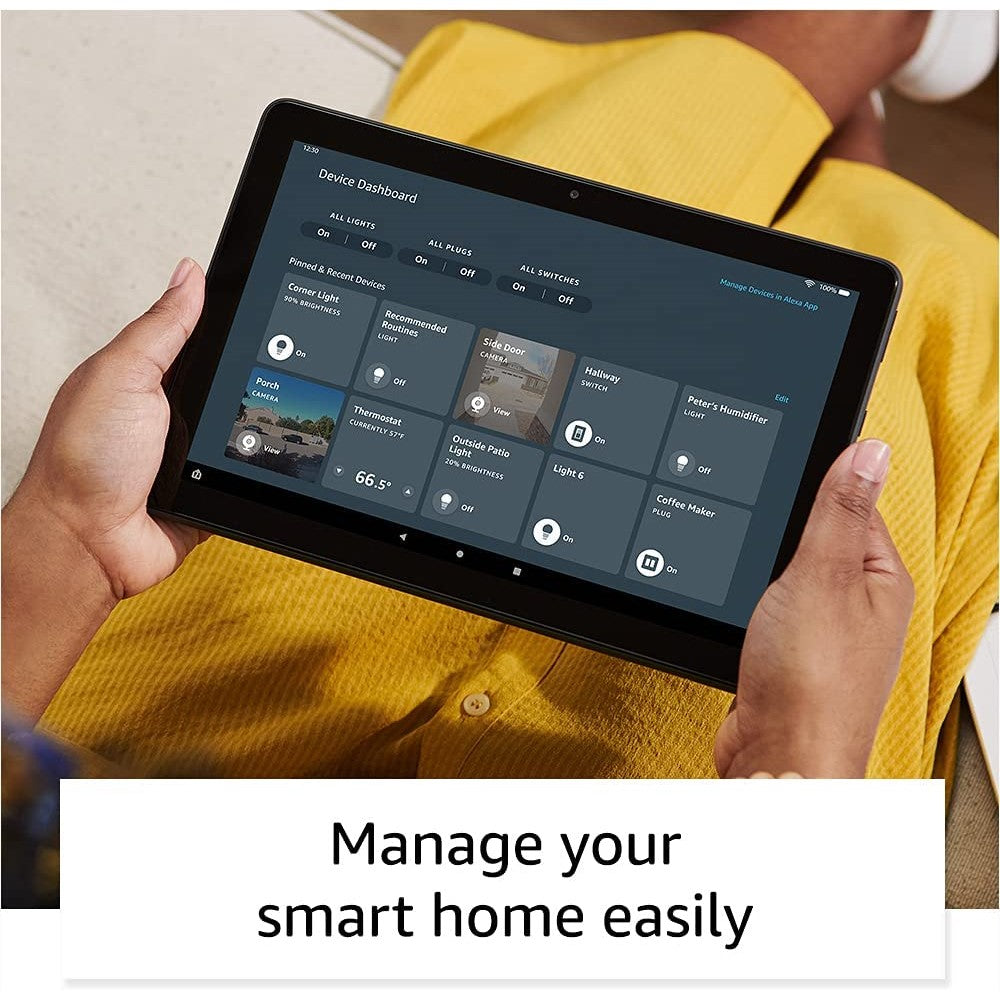
Alexa connects you to the information, entertainment, and people who matter most—with your voice. Ask to play videos and music, open apps, make calls or send messages, check the weather, access compatible smart home devices, and more. Just say “Alexa” to get started, even when the tablet screen is on standby.
Alexa and Fire HD 10 Plus are designed to protect your privacy. For example, you can view and delete your voice recordings or use the Alexa Hands-Free Mode on/off toggle anytime.
Vivid Full HD with more than 2 million pixels and immersive Dolby Atmos makes movies, TV episodes, games, apps, ebooks, and songs look and sound amazing.
Stream over wifi or download from Netflix, Prime Video, Disney+, and others. Listen via built-in speakers or connect using Bluetooth or the headphone jack. (Subscription for some apps required.)

|
Display |
Brilliant 10.1” 1080p display (1920 x 1200) with over 2 million pixels (224 PPI), for bright, vivid image quality. The screen strengthened with aluminum silicate. |
|
Size |
9.73” x 6.53” x 0.36” (247mm x 166mm x 9.2 mm) |
|
Weight |
16.5 oz (468 g) Actual size and weight may vary by configuration and manufacturing process |
|
CPU & RAM |
Octa-core 2.0 GHz with 4 GB of RAM |
|
Storage |
32 GB |
|
Battery life |
Up to 12 hours |
|
Charge time |
4 Hours |
|
Wifi connectivity |
Supports 2.4 GHz and 5.0 GHz networks. Does not support connecting to ad-hoc (or peer-to-peer) wifi networks. |
|
Ports |
USB-C (2.0) connector for charging; microSD slot for external storage. |
|
Audio |
3.5 mm stereo jack and dual integrated speakers; external volume controls. |
|
Wireless Charging |
Fire HD 10 Plus is Qi certified for wireless charging. |
|
Camera specs |
2 MP front-facing and 5MP rear-facing cameras with 720p HD video recording |
|
Printing |
Printing documents to a nearby wifi enabled printer are supported. |
|
Microphones |
2 built-in microphones |
|
Bluetooth connectivity |
Built-in Bluetooth 5.0 LE with support for A2DP compatible stereo headphones, speakers, microphone, and LE accessories |
|
Alexa privacy features |
Alexa and Fire HD 10 Plus are designed to protect your privacy. For example, you can view and delete your voice recordings or use the Alexa Hands-Free Mode on/off toggle at any time. |
|
Included in the box |
Fire HD 10 Plus tablet, USB-C (2.0) cable, 9W power adapter, and Quick Start Guide |
|
Generation |
11th generation |