After several months of use, I can confidently say this device has become a permanent fixture on my desk—and not just because I’m too busy to unplug it. The voice dictation works impressively well, saving both time and keyboard wear, while the video quality is sharp enough to make even Monday morning Zoom calls look respectable.
Whether you’re conferencing or simply attempting to look professional from your home office, the performance is consistently reliable. As someone with over 25–30 years in the IT industry, I don’t hand out praise lightly—but in this case, it’s well deserved.
In short, this is an excellent choice for everyday office use. Logitech continues its long-standing tradition of delivering quality products—thankfully, without requiring an IT support ticket to get started.
If only every piece of tech behaved this well, IT departments everywhere could finally take a proper coffee break.
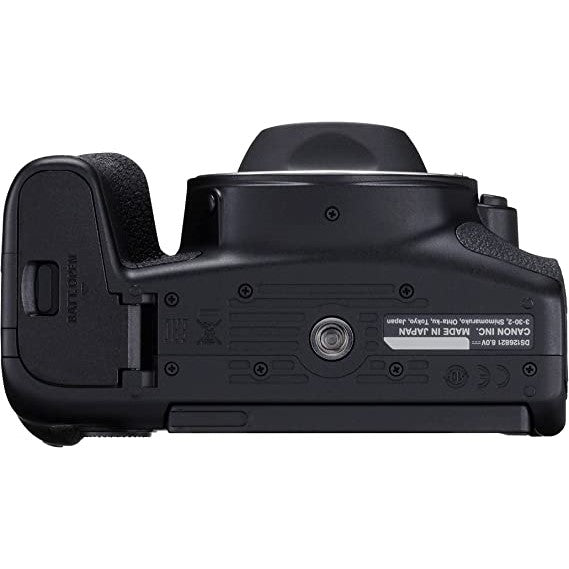
Canon EOS 850D 4K Video Video DSLR Camera Body - Black
Canon EOS 850D Camera BodyThe EOS 850D is perfect for photography hobbyists just starting out. The in-camera AI Focus AF enables the camera to automatically switch between One-Shot AF and Servo AF as it picks the best autofocus setting for the scene.
The EOS 850D's 220,000-dot AE sensor and DIGIC 8 imaging processor enable the camera to lock in on your subject's face, even in high-movement scenes. Eye Detection Auto Focus can be used during Still Servo AF and Movie Servo AF and will lock in on your subject's eye, even as they move in and out of the scene.
Equipped with an all-cross-type 45-point AF sensor, the EOS 850D enables you to freeze the moment with pin-sharp detail. When using the optical viewfinder, you'll experience no lag time between your subject's movements and what you see in the viewfinder display. With the added ability to capture 7 frames per second, this camera is perfect for capturing energized scenes with lots of movement.
The 24.1MP CMOS sensor with a DIGIC 8 imaging processor will allow the camera to pick up very fine details, which is difficult to achieve with smartphones and standard compact digital cameras. The improved Auto Lighting Optimizer helps balance your shots by reducing highlight blowouts and adding a graduation correction to bright areas- perfect for those gorgeous sunrises and sunsets.
An AF-ON button is included on the back of the camera to operate autofocus separately. When shooting a moving subject, press the AF-ON button to keep tracking the subject with AI Servo AF, and the shutter release button allows you to concentrate on shooting timing, so you won't miss any photo opportunities.
From travel to family, there is nothing better than sharing your amazing images with the world. With the Canon Camera Connect App, you can instantly get social and share all your adventures from your EOS 850D. Always behind the camera and never in the photos? Simply pair EOS 850D with your smartphone via Bluetooth, change settings to remote shooting, and say cheers!
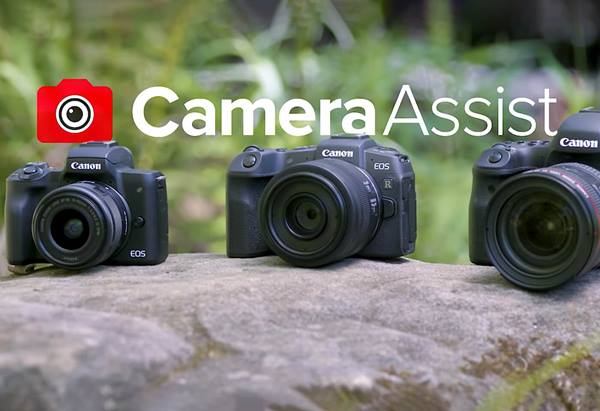
Camera Assist
Our Camera Assist step-by-step videos walk you through all the features of your particular camera. From getting set up for the first time to discovering its more advanced features, Camera Assist helps you understand everything your camera can do.
Specification
- Lens Mount: Canon EF-S
- Camera Format: APS-C (1.6x Crop Factor)
- Sensor Resolution: Actual: 25.8 Megapixels. Effective: 24.1 Megapixels.
- Maximum Resolution: 6000 × 4000
- Aspect Ratio: 1:1, 3:2, 4:3, 16:9
- Sensor Type: CMOS
- Sensor Size: 22.3 × 14.9 mm
- Image File Format: JPEG, Raw
- Bit Depth: 14-Bit
- Image Stabilization: Digital, 5-Axis (Video Only)
- ISO Sensitivity: Auto, 100 to 25600 (Extended: 100 to 51200)
- Shutter Speed: Mechanical Shutter: 1/4000 to 30 Seconds. Bulb Mode.
- Metering Method: Center-Weighted Average, Evaluative, Partial, Spot
- Exposure Modes: Aperture Priority, Manual, Program, Shutter Priority
- Exposure Compensation: -5 to +5 EV (1/3, 1/2 EV Steps)
- Metering Range: -2 to 20 EV
- White Balance: Auto, Cloudy, Custom, Daylight, Flash, Fluorescent (White), Shade, Tungsten
- Continuous Shooting: Mechanical Shutter: Up to 7 fps at 24.1 MP for up to 40 Frames (Raw) / 170 Frames (JPEG). Up to 3 fps at 24.1 MP for up to 40 Frames (Raw) / 170 Frames (JPEG). Electronic Shutter: Up to 7.5 fps at 24.1 MP for up to 40 Frames (Raw) / 170 Frames (JPEG)
- Interval Recording: Yes
- Self-Timer: 2/10-Second Delay
- Recording Modes: MP4/H.264 4:2:0 8-Bit. UHD 4K (3840 × 2160) at 23.976p [120 Mb/s]. Full HD (1920 × 1080) at 23.976p/29.97p/59.94p [12 to 60 Mb/s]. HD (1280 × 720) at 59.94p [26 Mb/s].
- External Recording Modes: UHD 4K (3840 × 2160). Full HD (1920 × 1080). HD (1280 × 720).
- Recording Limit: Up to 29 Minutes, 59 Seconds
- Audio Recording: Built-In Microphone (Stereo). External Microphone Input (Stereo)
- Audio File Format: AAC
- Focus Type: Auto and Manual Focus
- Focus Mode: Automatic (A), Continuous-Servo AF ©, Manual Focus (M), Single-Servo AF (S)
- Autofocus Points: Phase Detection: 45 (45 Cross-Type)
- Autofocus Sensitivity: -3 to +18 EV
- Viewfinder Type: Optical (Pentamirror)
- Viewfinder Eye Point: 19 mm
- Viewfinder Coverage: 0.95
- Viewfinder Magnification: Approx. 0.82x
- Diopter Adjustment: -3 to +1
- Size: 3”
- Resolution: 1,040,000 Dot
- Display Type: Articulating Touchscreen LCD
- Built-In Flash: Yes
- Flash Modes: Auto, Manual, Red-Eye Reduction
- Guide Number: 39.37’ / 12 m at ISO 100
- Maximum Sync Speed: 1/200 Second
- Flash Compensation: -2 to +2 EV (1/3, 1/2 EV Steps)
- Dedicated Flash System: eTTL
- External Flash Connection: Hot Shoe
- Media/Memory Card Slot: Single Slot: SD/SDHC/SDXC
- Connectivity: 3.5mm Microphone, USB Micro-B (USB 2.0), HDMI C (Mini)
- Wireless: Bluetooth. Wi-Fi.
- GPS: No
- Operating Temperature: 32 to 104°F / 0 to 40°C
- Operating Humidity: 0 to 85%
- Battery: 1 x LP-E17 Rechargeable Lithium-Ion, 7.2 VDC, 1040 mAh (Approx. 1240 Shots)
- Dimensions (W x H x D): 5.16 × 4.04 × 3” / 131 × 102.6 × 76.2 mm
- Weight: 1.13 lb / 515 g (Body with Battery and Memory)
What's In The Box
- Canon EOS 850D Camera (Body Only)
- Original Packages
BRAND NEW
ONE YEAR WARRANTY
STOCK IN AUSTRALIA
AUSTRALIAN SELLER