Panasonic
Panasonic Lumix DMC-TZ95 Compact Digital Camera - Silver
Out of stock
Couldn't load pickup availability
Share
Panasonic Lumix DMC-TZ95 Compact Digital Camera - Silver
The LUMIX TZ95 camera features a powerful 30x optical zoom LEICA DC VARIO-ELMAR lens (35mm camera equivalent: 24-720mm). The wide zoom range is coupled with 5-Axis HYBRID O.I.S.+ (Optical Image Stabiliser) to minimize blur, ensuring images are sharp and shake-free. Zoom Compose Assist also helps during telephoto shooting by zooming out if you lose the subject, The LUMIX TZ95 makes it easy to view and frame every shot, thanks to a newly-designed 2.3 million-dot, 0.21-inch Live View Finder (LVF) with a high magnification ratio of approximately 0.53x (35mm camera equivalent). What’s more, the image output between the LVF and the rear monitor switches automatically using an eye sensor. The Zoom Compose Assist function lets you quickly zoom out with a single press of a button when you've lost your subject while telephoto shooting. This allows you to reconfirm your composition instantly.
The flexible 3.0-inch 1840k-dot touch monitor flips up 180 degrees, making it perfect for video blogs, selfies, and group shots. Travel fans will also love capturing themselves in front of impressive landscapes and iconic destinations with Panorama Selfie mode. Thanks to DFD (Depth From Defocus) technology, capture even the fastest moving action. It instantly calculates the distance to the subject by evaluating two images with different sharpness levels and achieves ultra-high-speed AF and 5 fps burst shooting with AFC. 10 fps burst shooting with AFS is also available. The LUMIX TZ95’s Post Focus mode allows you to choose the focal point of an image after it’s been taken. You can use the touchscreen to select the area you want to focus on, which is perfect for macro shots of food. Then you can use Focus Stacking to combine focal points to achieve complete foreground-to-background focus.
Records smooth 4K Video in 3840 x 2160 at 25p and offers 4K Photo with 4K Pre-burst mode to capture 30 frames per second before and after the shutter is released
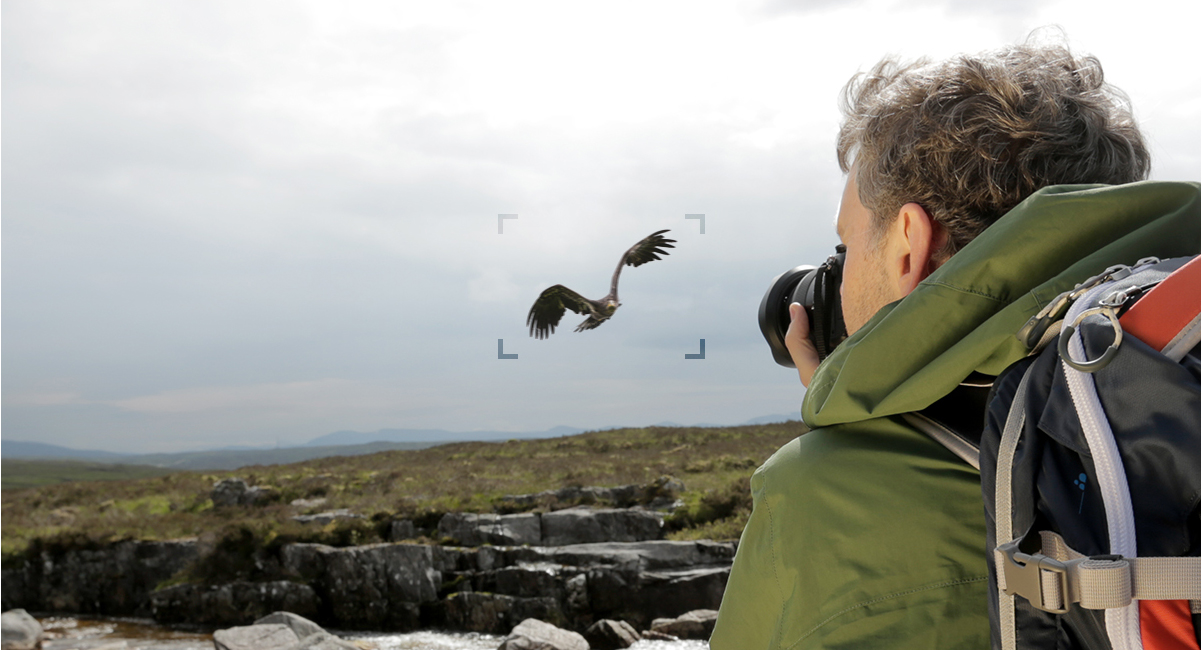
The Auto Marking function helps you choose your best shots more easily, The camera detects motion or a human face and automatically sets a marker to enhance your creativity

Get the perfect selfie with a 180-degree tiltable monitor, Whether it’s a group selfie or a party moment, you can capture life in stunning 4K quality

Specifications:
Camera type: Compact ultra zoom
Megapixels (still): 20.3
Image sensor: 1/2.3-inch High Sensitivity MOS Sensor
Optical zoom: 30 ISO: 6400
Lens focal length (mm): 4.3 - 129
Lens aperture range: 3.3 - 6.4
Max shutter speed: 1/2000 sec
Image stabilization: Optical
Card reader: SD Memory Card, SDHC Memory Card, SDXC Memory Card
Device screen size (inches): 3
Viewfinder: Electronic
Rechargeable: Yes
Battery life: approx. 380 images (rear monitor), 250 images (LVF)
Movie recording: Ultra HD
Wi-Fi: Wi-Fi 4 (802.11 b/g/n)
Bluetooth: v4.2 Micro
HDMI ports: 1 Micro
USB ports: 1
Tips for protecting your children online
In today's digital age, ensuring your children's safety while they browse the internet is paramount. As they explore the vast online world through smartphones, gaming consoles, laptops, and other devices, it's essential to implement measures to shield them from potentially harmful content and interactions. Here are some tips to help you safeguard your children online:
1. Communication is Key
Open and ongoing communication with your children about online safety is crucial. Discuss the potential dangers they may encounter online, such as pornography, cyberbullying, and violent content. Encourage them to come to you with any concerns or questions they may have.
2. Set Clear Boundaries
Establish clear rules and boundaries regarding internet usage. Define appropriate time limits for browsing and specify which websites and apps are off-limits. Make sure your children understand the consequences of violating these rules. You can also restrict some of these apps or online content utilizing device level parental controls explained below.
3. Utilize Parental Controls
Take advantage of the parental control features available on devices and internet browsers. These controls allow you to block access to specific websites, set age-appropriate content filters, and monitor your children's online activities. Familiarize yourself with the parental control options on smartphones, gaming consoles, and laptops to effectively manage your children's online experiences.
4. Educate Yourself
Stay informed about the latest trends and technologies related to online safety. Familiarize yourself with popular social media platforms, gaming communities, and messaging apps that your children may use, including the functions they provide. This knowledge will help you understand the potential risks and take appropriate action to protect your children.
5. Monitor Their Online Activities
Regularly monitor your children's online activities to ensure they are adhering to the rules and staying safe. Keep an eye on their browsing history, social media interactions, and messaging apps. Be vigilant for any signs of cyberbullying or exposure to inappropriate content.
6. Encourage Safe Online Behavior
Teach your children about the importance of practicing safe online behavior. Remind them never to share personal information, such as their full name, address, or phone number, with strangers online. Encourage them to think critically about the content they encounter and to report anything that makes them feel uncomfortable or unsafe.
7. Lead by Example
Be a positive role model for your children by demonstrating responsible and respectful online behavior yourself. Show them how to navigate the internet safely and responsibly, and emphasize the importance of treating others with kindness and empathy online.
8. Reporting abuse, making complaints and finding more information
For additional resources and guidance on online safety, visit the Australian e-Safety Commissioner's website at www.esafety.gov.au. Here, you'll find a wealth of information, including tips for parents, educational resources for children, and tools for reporting online abuse and harassment.
You can also report abuse through the website’s online form.
By following these tips and utilizing available resources, you can help keep your children safe from pornography, cyberbullying, violent content, and other unsafe material while they navigate the internet. Remember, proactive measures and open communication are key to fostering a safe and positive online environment for your family.
