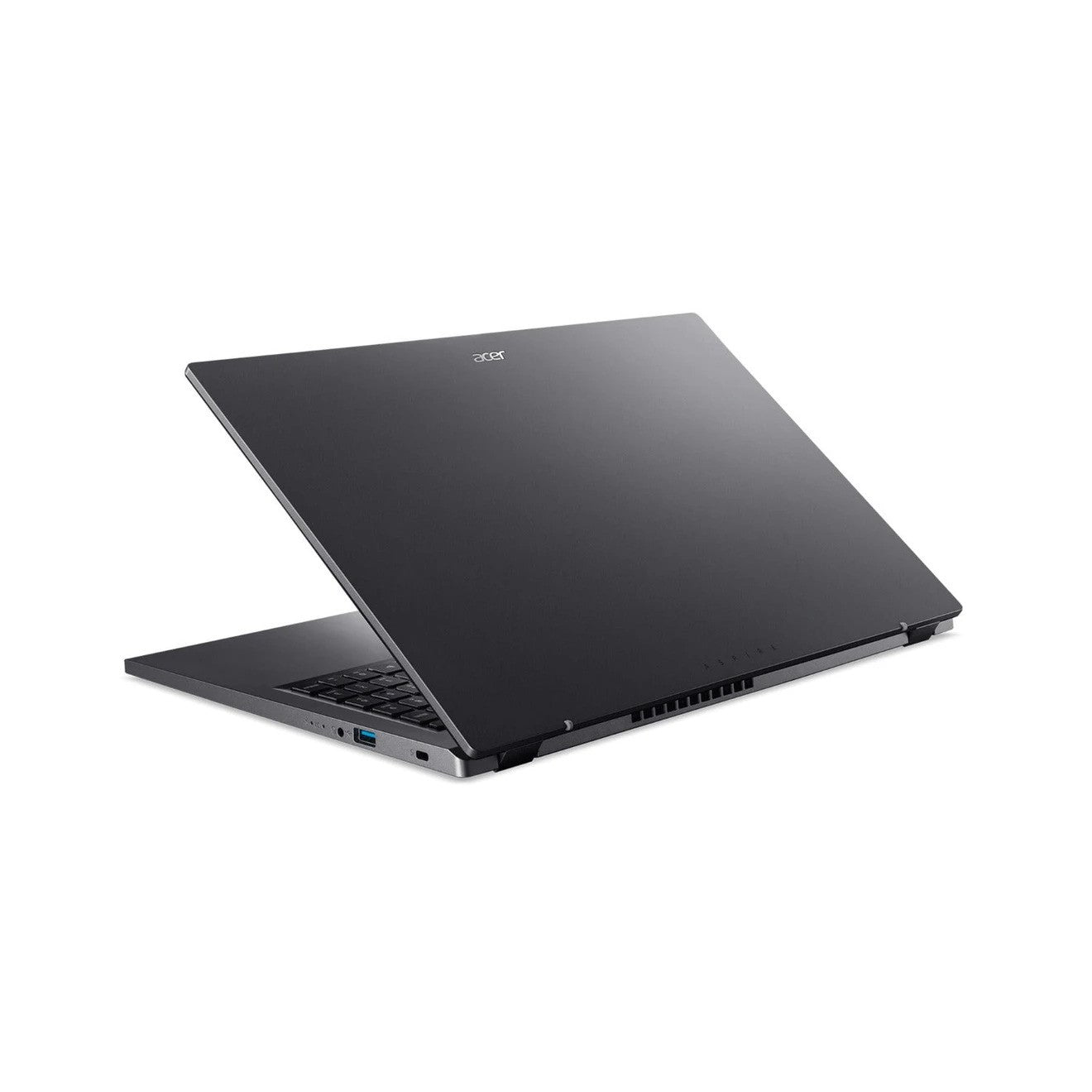
Acer Aspire 5 15.6" FHD Laptop Intel Core i5 - 8GB/256GB - Steel Grey
- Display: 15.6" Full HD (1920 x 1080) display for sharp, clear visuals
- Processor: Intel Core i5 (10th or 11th Gen, depending on model) for efficient multitasking and fast performance
- RAM: 8GB of DDR4 memory for smooth computing and responsive performance
- Storage: 256GB SSD for fast boot times and quick access to files
- Graphics: Integrated Intel UHD or Iris Xe graphics for everyday graphics tasks
- Operating System: Windows 11 or Windows 10 (varies by configuration)
- Design: Sleek, lightweight black design with slim bezels
- Connectivity: Wi-Fi 6, Bluetooth 5.0 for fast and reliable connections
- Ports: Includes USB 3.2, USB-C, HDMI, and Ethernet ports for versatile connectivity
- Battery Life: Up to 8 hours of battery life, depending on usage
Product Description :
Impressive Display
15.6-Inch Full HD Display: Enjoy crisp and clear visuals with a 1920x1080 resolution on the large Full HD screen. The IPS technology ensures vibrant colors and wide viewing angles, perfect for streaming videos, editing photos, or working on documents.
Powerful Performance
Intel Core i5 Processor: Powered by a 10th or 11th Generation Intel Core i5 processor, this laptop offers efficient performance for multitasking, web browsing, and light productivity work. It’s fast enough to handle demanding applications while maintaining excellent energy efficiency.
8GB RAM: With 8GB of DDR4 RAM, the Aspire 5 offers smooth performance during multitasking and fast access to files and applications, ensuring that you can work on multiple tasks without lag.
Fast and Reliable Storage
256GB SSD: The 256GB solid-state drive (SSD) provides lightning-fast boot times, quick file access, and improved overall system responsiveness. Store important documents, multimedia files, and programs while keeping your system running at optimal speed.
Enhanced Graphics
Intel UHD or Iris Plus Graphics: Equipped with Intel UHD Graphics or Intel Iris Plus graphics, this laptop delivers decent performance for casual gaming, video editing, and media consumption, providing clear visuals for everyday use.
Long Battery Life
Up to 8 Hours: The Acer Aspire 5 offers up to 8 hours of battery life, making it an ideal option for those who need a reliable laptop for extended work or study sessions without worrying about charging.
Sleek and Portable Design
Slim Profile: The Acer Aspire 5 boasts a slim and lightweight design in a Black finish, making it easy to carry around. It’s stylish yet practical, perfect for professionals and students on the go.
Comprehensive Connectivity
Wi-Fi 6 & Bluetooth 5.0: Stay connected with the latest Wi-Fi 6 technology for faster internet speeds and a more stable connection, as well as Bluetooth 5.0 for connecting wireless peripherals such as headphones or a mouse.
Multiple Ports: Equipped with various ports including USB Type-C, USB 3.2, HDMI, and Ethernet, the Aspire 5 offers easy connectivity to external devices, monitors, and more.
Comfortable Typing Experience
Backlit Keyboard: The full-size backlit keyboard ensures you can type comfortably even in low-light environments. The ergonomic layout provides a comfortable typing experience for long sessions of work or study.
HD Webcam and Audio
720p HD Webcam: The built-in 720p HD webcam ensures clear video calls and virtual meetings, making it perfect for remote work or connecting with friends and family.
Dolby Audio: Enhanced sound quality with Dolby Audio for clear, immersive audio when watching movies, listening to music, or participating in video calls.
Operating System
Windows 11 Home: Pre-installed with Windows 11 Home (or Windows 10 depending on the model), this laptop provides access to the latest features, security updates, and a streamlined user interface for a modern computing experience.
Specifications :
- Size: 15.6 inches
- Resolution: Full HD (1920 x 1080)
- Type: IPS (In-Plane Switching) for wider viewing angles and better color reproduction
- Model: Intel Core i5 (10th or 11th Generation, depending on model)
- Cores: Quad-core or Hexa-core (depending on the generation)
- Base Clock Speed: 1.0 GHz to 2.4 GHz (up to 4.2 GHz with Intel Turbo Boost, depending on model)
- Integrated Graphics: Intel UHD Graphics (10th Gen) or Intel Iris Plus Graphics (11th Gen)
Size: 8GB DDR4
- Type: DDR4 SDRAM
- Upgradable: Yes (usually up to 12GB or 16GB depending on configuration)
- Drive Type: Solid State Drive (SSD)
- Capacity: 256GB
- Performance: Faster boot times and quick file access compared to traditional HDD
- Pre-installed OS: Windows 11 Home (or Windows 10 Home on older models)
- Battery Life: Up to 8 hours (varies depending on usage)
- Battery Type: 3-cell lithium-ion battery
What's In The Box :
- Acer Aspire 5 Laptop (the main device)
- AC Adapter/Charger (for powering and charging the laptop)
- Quick Start Guide (manual with basic setup instructions)