Acer
Acer Swift GO 14" Touch Screen Laptop Windows 11 Home 13th gen Intel Core i5 16GB RAM, 256GB SSD - Pure Silver (Open Never Used)
Out of stock
Couldn't load pickup availability
Share
Acer Swift GO 14" Touch Screen Laptop Windows 11 Home 13th gen Intel Core i5 16GB RAM, 256GB SSD - Pure Silver (Open Never Used)
- Windows 11 Home
- Intel Core i5-13500H Processor
- 14" FHD IPS Screen 1920 x 1080 Touch
- Onboard Graphics
- 16GB & 256GB PCIe NVMe SSD
- Killer Wireless Wi-Fi 6E
- 1.25kg, Up to 11.5 hours battery life
- Finger Print Reader Included
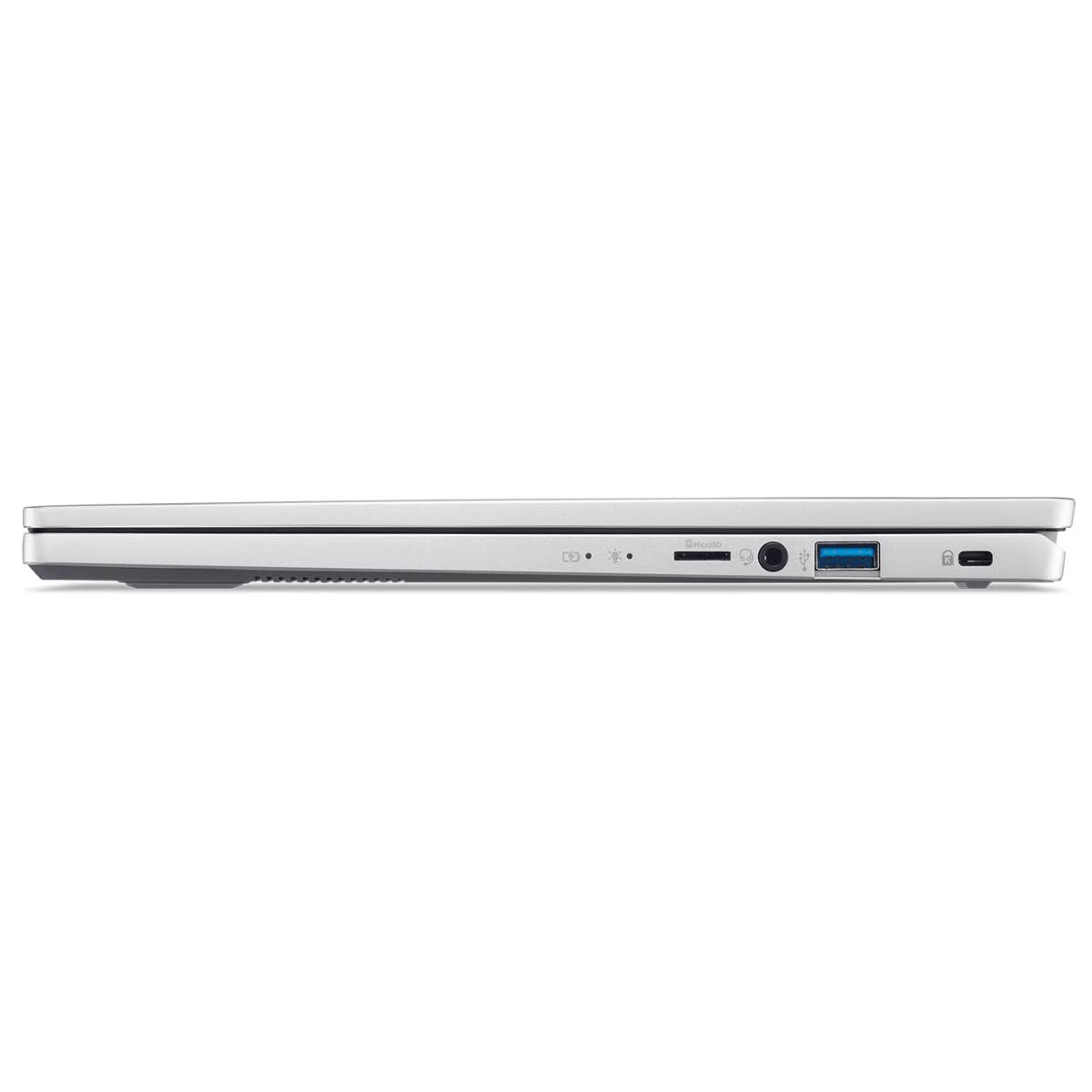
- HDMI, USB Type-C, USB 3.2
Product Description:
The Acer Swift GO 14 is a well-rounded laptop that combines performance, portability, and advanced features. With its powerful Intel Core i5 processor, ample RAM, stunning display, and long battery life, it is designed to meet the needs of modern users. Whether you are a professional, student, or casual user, this laptop offers the versatility and reliability required for a variety of tasks, making it a valuable addition to your tech arsenal.
Sleek and Portable Design
The Acer Swift GO 14 is designed with portability and elegance in mind. Weighing only 1.25 kg and measuring a slim profile, this laptop is perfect for users who are always on the go. Its lightweight design does not compromise on build quality, offering a robust yet stylish chassis that easily fits into your bag. The sleek aesthetics, combined with a durable finish, make it an attractive device for professionals and students alike.
Powerful Performance
Under the hood, the Acer Swift GO 14 is powered by the latest 13th Gen Intel Core i5 processor. This ensures that the laptop can handle demanding tasks with ease, from multitasking and productivity applications to streaming and light gaming. The 16GB of RAM further enhances its capability to run multiple applications simultaneously, providing a smooth and efficient computing experience. This combination of processing power and memory makes the Swift GO 14 a reliable companion for any task.
Vivid Display
The laptop features a 14-inch Full HD touchscreen display that brings your content to life with vivid colors and sharp details. The responsive touchscreen allows for intuitive interactions, making it easy to navigate through applications and media. Whether you are working on a project, watching a movie, or browsing the web, the high-resolution display ensures an immersive visual experience. The slim bezels provide a larger screen area, enhancing your viewing experience.
Enhanced Connectivity
Staying connected is crucial, and the Acer Swift GO 14 excels in this area with its advanced connectivity options. It includes Killer Wi-Fi 6E, which offers faster and more reliable internet connections, reducing latency and ensuring smooth online experiences. Additionally, the laptop is equipped with a variety of ports, including USB Type-C, HDMI, and standard USB, providing flexibility for connecting peripherals and external displays. This array of connectivity options ensures you can stay productive and connected wherever you are.
Long Battery Life
Battery life is a key consideration for portable devices, and the Acer Swift GO 14 delivers impressive longevity. With up to 11.5 hours of battery life on a single charge, you can work, play, and stay connected throughout the day without worrying about finding an outlet. This extended battery life makes it ideal for long work sessions, travel, and remote working scenarios, ensuring you stay productive and entertained without interruption.
User-Friendly Features
Running on Windows 11 Home, the Acer Swift GO 14 offers a user-friendly interface with enhanced security features and productivity tools. The new OS provides a seamless and intuitive experience, with features like Snap Layouts and Virtual Desktops that enhance your workflow. The laptop also includes a backlit keyboard for comfortable typing in low-light conditions and a precision touchpad for accurate navigation.
Specifications:
- Processor: Intel Core i5-13th Gen
- RAM: 16GB
- Storage: 256GB SSD
- Display: 14-inch Full HD touchscreen
- Operating System: Windows 11 Home
- Weight: 1.25 kg
- Battery Life: Up to 11.5 hours
- Wi-Fi: Killer Wi-Fi 6E
- Ports: USB Type-C, HDMI, standard USB ports
- Color: Pure Silver
What's In The Box:
- Acer Swift Go 14 Laptop
- Power Cord
- AC Adapter
- User Manual
Note:
Product Condition: Open Never Used
Tips for protecting your children online
In today's digital age, ensuring your children's safety while they browse the internet is paramount. As they explore the vast online world through smartphones, gaming consoles, laptops, and other devices, it's essential to implement measures to shield them from potentially harmful content and interactions. Here are some tips to help you safeguard your children online:
1. Communication is Key
Open and ongoing communication with your children about online safety is crucial. Discuss the potential dangers they may encounter online, such as pornography, cyberbullying, and violent content. Encourage them to come to you with any concerns or questions they may have.
2. Set Clear Boundaries
Establish clear rules and boundaries regarding internet usage. Define appropriate time limits for browsing and specify which websites and apps are off-limits. Make sure your children understand the consequences of violating these rules. You can also restrict some of these apps or online content utilizing device level parental controls explained below.
3. Utilize Parental Controls
Take advantage of the parental control features available on devices and internet browsers. These controls allow you to block access to specific websites, set age-appropriate content filters, and monitor your children's online activities. Familiarize yourself with the parental control options on smartphones, gaming consoles, and laptops to effectively manage your children's online experiences.
4. Educate Yourself
Stay informed about the latest trends and technologies related to online safety. Familiarize yourself with popular social media platforms, gaming communities, and messaging apps that your children may use, including the functions they provide. This knowledge will help you understand the potential risks and take appropriate action to protect your children.
5. Monitor Their Online Activities
Regularly monitor your children's online activities to ensure they are adhering to the rules and staying safe. Keep an eye on their browsing history, social media interactions, and messaging apps. Be vigilant for any signs of cyberbullying or exposure to inappropriate content.
6. Encourage Safe Online Behavior
Teach your children about the importance of practicing safe online behavior. Remind them never to share personal information, such as their full name, address, or phone number, with strangers online. Encourage them to think critically about the content they encounter and to report anything that makes them feel uncomfortable or unsafe.
7. Lead by Example
Be a positive role model for your children by demonstrating responsible and respectful online behavior yourself. Show them how to navigate the internet safely and responsibly, and emphasize the importance of treating others with kindness and empathy online.
8. Reporting abuse, making complaints and finding more information
For additional resources and guidance on online safety, visit the Australian e-Safety Commissioner's website at www.esafety.gov.au. Here, you'll find a wealth of information, including tips for parents, educational resources for children, and tools for reporting online abuse and harassment.
You can also report abuse through the website’s online form.
By following these tips and utilizing available resources, you can help keep your children safe from pornography, cyberbullying, violent content, and other unsafe material while they navigate the internet. Remember, proactive measures and open communication are key to fostering a safe and positive online environment for your family.