After several months of use, I can confidently say this device has become a permanent fixture on my desk—and not just because I’m too busy to unplug it. The voice dictation works impressively well, saving both time and keyboard wear, while the video quality is sharp enough to make even Monday morning Zoom calls look respectable.
Whether you’re conferencing or simply attempting to look professional from your home office, the performance is consistently reliable. As someone with over 25–30 years in the IT industry, I don’t hand out praise lightly—but in this case, it’s well deserved.
In short, this is an excellent choice for everyday office use. Logitech continues its long-standing tradition of delivering quality products—thankfully, without requiring an IT support ticket to get started.
If only every piece of tech behaved this well, IT departments everywhere could finally take a proper coffee break.
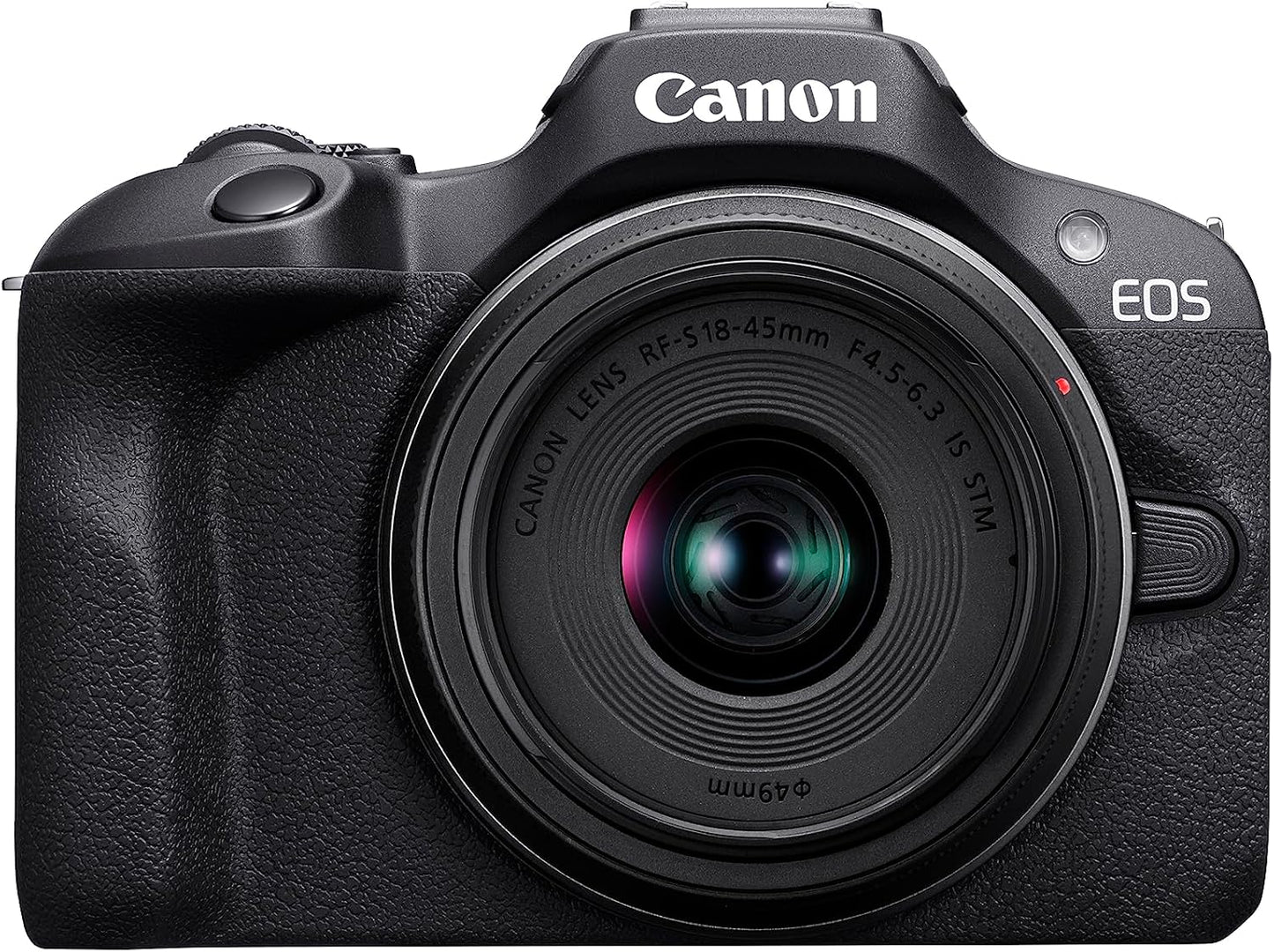
Canon EOS R100 Mirrorless Camera Kit with RF-S 18-45mm Lens – 24.1MP APS-C – Compact & Lightweight (Black)
Capture stunning photos and 4K videos with the Canon EOS R100 Kit. Featuring a 24.1MP APS-C sensor, fast Dual Pixel AF, and RF-S 18-45mm IS STM lens, this lightweight mirrorless camera delivers sharp detail, smooth autofocus, and excellent low-light performance—perfect for beginners, travelers, and everyday creators.
key features:
- 24.1MP APS-C Sensor delivers crisp, high-resolution photos with excellent clarity.
- DIGIC 8 Processor provides fast performance, accurate colors, and reduced noise.
- Dual Pixel CMOS AF ensures smooth, fast, and precise autofocus for stills and video.
- 4K 24p Video Recording captures cinematic high-resolution footage.
- Full HD 60p enables smooth motion for vlogging and action scenes.
- Compact & Lightweight Body ideal for travel, everyday shooting, and beginners.
- RF-S 18-45mm IS STM Lens offers versatile wide-to-standard zoom for daily photography.
- Optical Image Stabilization reduces shake for sharper handheld shots.
- 3.0" LCD Display gives clear viewing for framing and playback.
- Creative Filters & Modes help beginners get professional-looking results.
- Electronic Shutter 6.5 fps captures fast action with ease.
- Built-in Wi-Fi & Bluetooth simplifies sharing and remote shooting.
- Lightweight Mirrorless System delivers better quality than smartphones without extra bulk.
- Canon RF Mount Compatibility supports expanding with high-quality RF lenses.
PRODUCT DESCRIPTION
1. Compact Power for Everyday Creators
The Canon EOS R100 brings the benefits of mirrorless photography to everyone. Designed for beginners and hobbyists, this compact camera offers powerful performance in a lightweight body, making it ideal for travel, events, and daily use. Its user-friendly interface ensures you can capture beautiful photos and videos with ease.
2. High-Resolution Imaging You Can Trust
With a 24.1MP APS-C CMOS sensor paired with Canon’s DIGIC 8 processor, the R100 captures images rich in clarity, accurate color, and low-noise detail. Whether you’re shooting portraits, landscapes, or low-light scenes, this camera consistently delivers professional-grade results.
3. Fast Autofocus & Creative Shooting Options
Canon’s Dual Pixel CMOS AF system provides quick and accurate focusing for both photography and video. Multiple subject tracking modes allow you to capture people, objects, and motion effortlessly. Creative filters and guided shooting modes make it easy for beginners to step into advanced photography.
4. Versatile RF-S 18-45mm Lens Included
The included RF-S 18-45mm f/4.5-6.3 IS STM lens is the perfect everyday zoom. Its optical image stabilization ensures sharp handheld images, while the silent STM motor delivers smooth, quiet focusing ideal for video recording. From wide-angle landscapes to everyday snapshots, it covers all essentials.
5. Seamless Connectivity for Sharing & Control
Built-in Wi-Fi and Bluetooth allow quick pairing with smartphones and tablets. Use Canon’s Camera Connect app to transfer images instantly or control the camera remotely. Whether you're sharing to social media or backing up your shots, the EOS R100 keeps your workflow simple and efficient.
SPECIFICATIONS
- Sensor: 24.1MP APS-C CMOS
- Processor: DIGIC 8
- Autofocus: Dual Pixel CMOS AF
- ISO Range: 100–12800 (expandable)
- Continuous Shooting: 6.5 fps (Electronic Shutter)
- Video: 4K 24p, Full HD 60p
- Lens Mount: Canon RF
- Included Lens: RF-S 18-45mm f/4.5-6.3 IS STM
- Image Stabilization: In-lens IS
- Display: 3.0" LCD
- Connectivity: Wi-Fi, Bluetooth
- Weight (Body): Approx. 309g
- Shutter Speed: 30 sec – 1/4000 sec
- Storage: SD/SDHC/SDXC (UHS-I)
- Battery: LP-E17
- Dimensions: 116.3 × 85.5 × 68.8 mm