DJI
DJI Mini 2 SE Lightweight and Foldable Mini Camera Drone (AU Version)
Out of stock
Couldn't load pickup availability
Share
DJI Mini 2 SE, Lightweight and Foldable Mini Camera Drone with 2.7K Video, Intelligent Modes, 10km Video Transmission, 31-min Flight Time, Under 249 g, Easy to Use, Photo-Shooting Tour, Street Snap
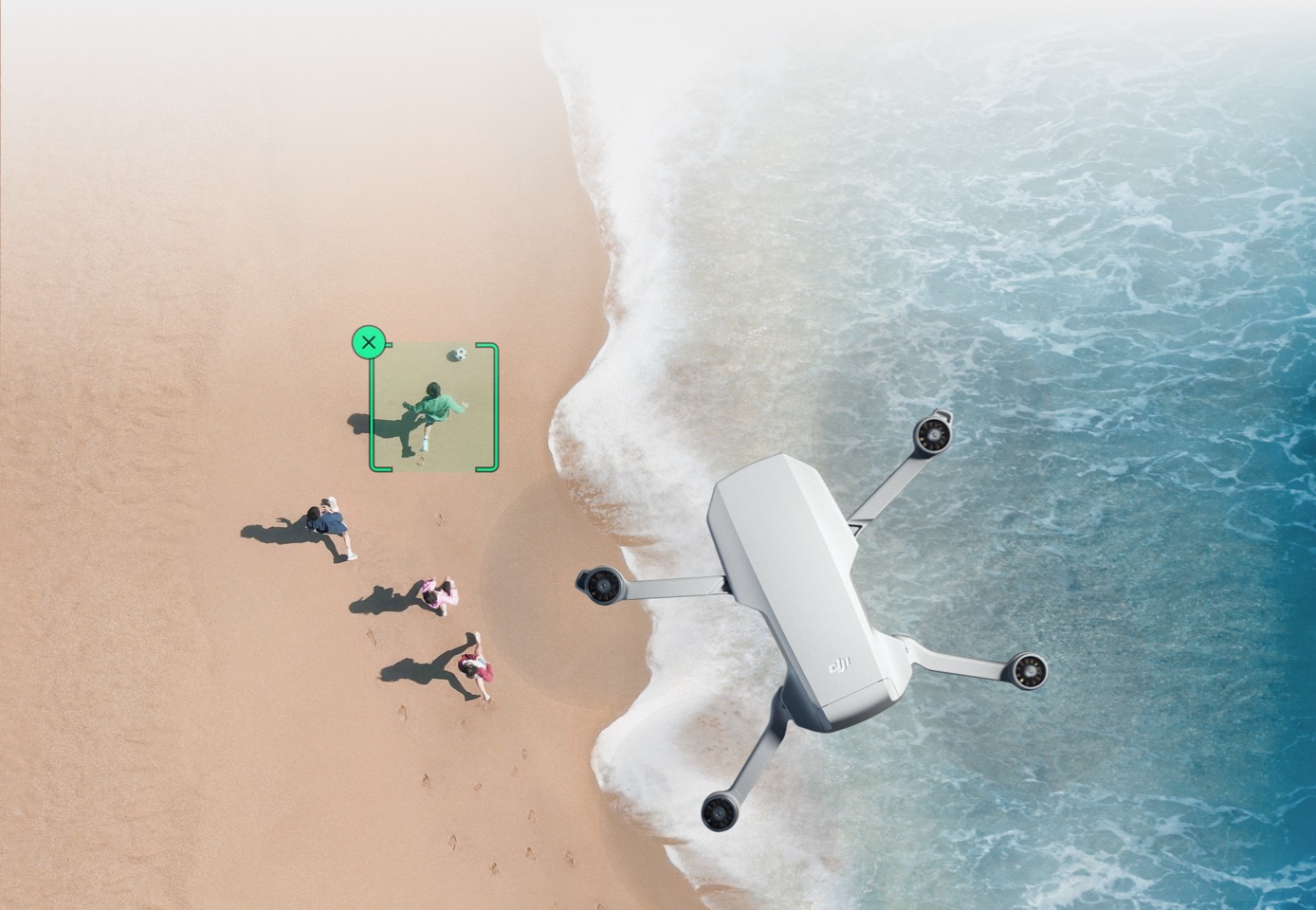
- Lightweight and Compact - DJI Mini 2 SE weighs less than 249 grams. That makes it ideal for taking it along on hikes, road trips, beach days, and more to capture every incredible moment from above.
- It's Easy- From taking flight to capturing content, every operation with DJI Mini 2 SE is simplified and easy to master quickly. It even has a Return to Home function if your battery gets too low.
- Extended Range - With a robust 10km video transmission range, users can fly farther and explore and capture more with a reliable connection.
- Intelligent Modes - QuickShots and other impressive intelligent features are available with just a few taps, letting you get aerial footage that looks like it was shot by a pro.
- Fly Long - A 31-min max flight time delivers extended flights and more aerial opportunities. Whether you're exploring, filming, or just having fun, do it with more confidence and peace of mind.
- 38kph (Level 5) Wind Resistance - DJI Mini 2 SE flies with reliable stability even in winds up to 38kph (level 5), letting you fly and capture content more reliably in more places.
- Note: The DJI RC-N1 cable (lightning connector) is located inside the RC-N1 remote controller.
Product Description:
Light and Portable
Just how light is DJI Mini 2 SE? At less than 249 g, it weighs about as much as an apple and fits in the palm of your hand. Compact and convenient, Mini 2 SE is your ideal travel companion, transforming how you capture your favorite moments.

Up to 10km HD Video Transmission
Mini 2 SE supports up to 10 km of HD video transmission and has excellent anti-interference capabilities, giving you the ability to fly farther and see clearer.

31-Min Max Flight Time
With a max battery life of 31 minutes, Mini 2 SE grants more than enough time to compose the perfect shot.
Robust Flying
Mini 2 SE flies steady and reliably and keeps your footage stable even when flying in environments with level-5 winds, up to 38kph.
38kph (Level 5) Wind Resistance/4000m Max Takeoff Altitude
Beginner-Friendly
The DJI Fly app comes with clear instructions and easy-to-follow flying tutorials covering all the tips you need to get started.
Take Off/Land with One Tap
Press and hold the takeoff/landing icon, and the aircraft will automatically take off or land.
Stable Hovering
With a combination of GNSS, downward vision, and infrared sensing systems, the aircraft can hover stably in the air.
Return to Home
Smart RTH, Low Battery RTH, and Failsafe RTH give you more confidence and peace of mind during flight.
QuickShots
With just a few taps, DJI Mini 2 SE automatically records and shoots professional-level videos to share directly on social media. Whether you’re a beginner or a more experienced flyer, the DJI Fly app helps you to produce impressive results complete with soundtracks and filters.
Dronie/Helix/Rocket/Circle/Boomerang
Panorama
Select from Sphere, Wide Angle, and 180° panoramas, and Mini 2 SE will do the rest, generating a panoramic masterpiece effortlessly with one tap.
Wide/180°/Sphere
3-Axis Gimbal
With a 3-axis mechanical stabilization system, Mini 2 SE ensures consistently smooth imagery no matter how adventurous you get.
Clear and Crisp Imagery
The equipped 1/2.3-inch CMOS camera delivers 12MP photos and up to 2.7K videos. Record beautiful moments with family and friends, or capture the full scope of natural scenery on a trip, DJI Mini 2 SE can add something special to any creative idea.

4× Zoom
4× Zoom enables you to transition between shots of varying distance and composition when shooting HD videos. That means you can capture clear, stunningly vivid footage of your kids, fluffy friends, or architecture from a safe distance.
Specifications:
- Device type: Camera drones
- Drone terrain: Air
- Drone camera type: Built-in video camera
- Drone/robotics range (m): 10000
- Drone type: Mini drone
- Drone controller included: Yes
- App enabled: Yes
- Battery life: Up to 31 minutes flight time
- Drone weight class [2023 CASA regulation]: Below 250g
What's In The Box:
- 1x DJI Mini 2 SE
- 1x DJI RC-N1 Remote Controller
- 1x DJI RC-N1 RC Cable (USB-C Connector)
- 1x DJI RC-N1 RC Cable (Lightning Connector)
- 1x DJI RC-N1 RC Cable (Standard Micro-USB Connector)
- 1x DJI Mini 2 Intelligent Flight Battery
- 1x pair of Spare Propellers
- 6x Spare Screws
- 1x Gimbal Protector
- 1x Screwdriver
- 1x USB-C Data Cable
Tips for protecting your children online
In today's digital age, ensuring your children's safety while they browse the internet is paramount. As they explore the vast online world through smartphones, gaming consoles, laptops, and other devices, it's essential to implement measures to shield them from potentially harmful content and interactions. Here are some tips to help you safeguard your children online:
1. Communication is Key
Open and ongoing communication with your children about online safety is crucial. Discuss the potential dangers they may encounter online, such as pornography, cyberbullying, and violent content. Encourage them to come to you with any concerns or questions they may have.
2. Set Clear Boundaries
Establish clear rules and boundaries regarding internet usage. Define appropriate time limits for browsing and specify which websites and apps are off-limits. Make sure your children understand the consequences of violating these rules. You can also restrict some of these apps or online content utilizing device level parental controls explained below.
3. Utilize Parental Controls
Take advantage of the parental control features available on devices and internet browsers. These controls allow you to block access to specific websites, set age-appropriate content filters, and monitor your children's online activities. Familiarize yourself with the parental control options on smartphones, gaming consoles, and laptops to effectively manage your children's online experiences.
4. Educate Yourself
Stay informed about the latest trends and technologies related to online safety. Familiarize yourself with popular social media platforms, gaming communities, and messaging apps that your children may use, including the functions they provide. This knowledge will help you understand the potential risks and take appropriate action to protect your children.
5. Monitor Their Online Activities
Regularly monitor your children's online activities to ensure they are adhering to the rules and staying safe. Keep an eye on their browsing history, social media interactions, and messaging apps. Be vigilant for any signs of cyberbullying or exposure to inappropriate content.
6. Encourage Safe Online Behavior
Teach your children about the importance of practicing safe online behavior. Remind them never to share personal information, such as their full name, address, or phone number, with strangers online. Encourage them to think critically about the content they encounter and to report anything that makes them feel uncomfortable or unsafe.
7. Lead by Example
Be a positive role model for your children by demonstrating responsible and respectful online behavior yourself. Show them how to navigate the internet safely and responsibly, and emphasize the importance of treating others with kindness and empathy online.
8. Reporting abuse, making complaints and finding more information
For additional resources and guidance on online safety, visit the Australian e-Safety Commissioner's website at www.esafety.gov.au. Here, you'll find a wealth of information, including tips for parents, educational resources for children, and tools for reporting online abuse and harassment.
You can also report abuse through the website’s online form.
By following these tips and utilizing available resources, you can help keep your children safe from pornography, cyberbullying, violent content, and other unsafe material while they navigate the internet. Remember, proactive measures and open communication are key to fostering a safe and positive online environment for your family.