After several months of use, I can confidently say this device has become a permanent fixture on my desk—and not just because I’m too busy to unplug it. The voice dictation works impressively well, saving both time and keyboard wear, while the video quality is sharp enough to make even Monday morning Zoom calls look respectable.
Whether you’re conferencing or simply attempting to look professional from your home office, the performance is consistently reliable. As someone with over 25–30 years in the IT industry, I don’t hand out praise lightly—but in this case, it’s well deserved.
In short, this is an excellent choice for everyday office use. Logitech continues its long-standing tradition of delivering quality products—thankfully, without requiring an IT support ticket to get started.
If only every piece of tech behaved this well, IT departments everywhere could finally take a proper coffee break.
Dreame
Dreame L10 Pro Robotic Vacuum and Mop Cleaner - White
Out of stock
Couldn't load pickup availability
Share
Dreame L10 Pro Robotic Vacuum and Mop Cleaner - White
- All-in-One Cleaning: The Dreame Bot L10 Pro is a versatile robot cleaner that combines powerful vacuuming and mopping functions in one device, providing a thorough and comprehensive cleaning experience.
- Strong Suction Power: With its high-performance motor and 4000Pa suction power, the L10 Pro effectively captures dust, dirt, and debris from various floor types, including carpets, hardwood floors, and tiles.
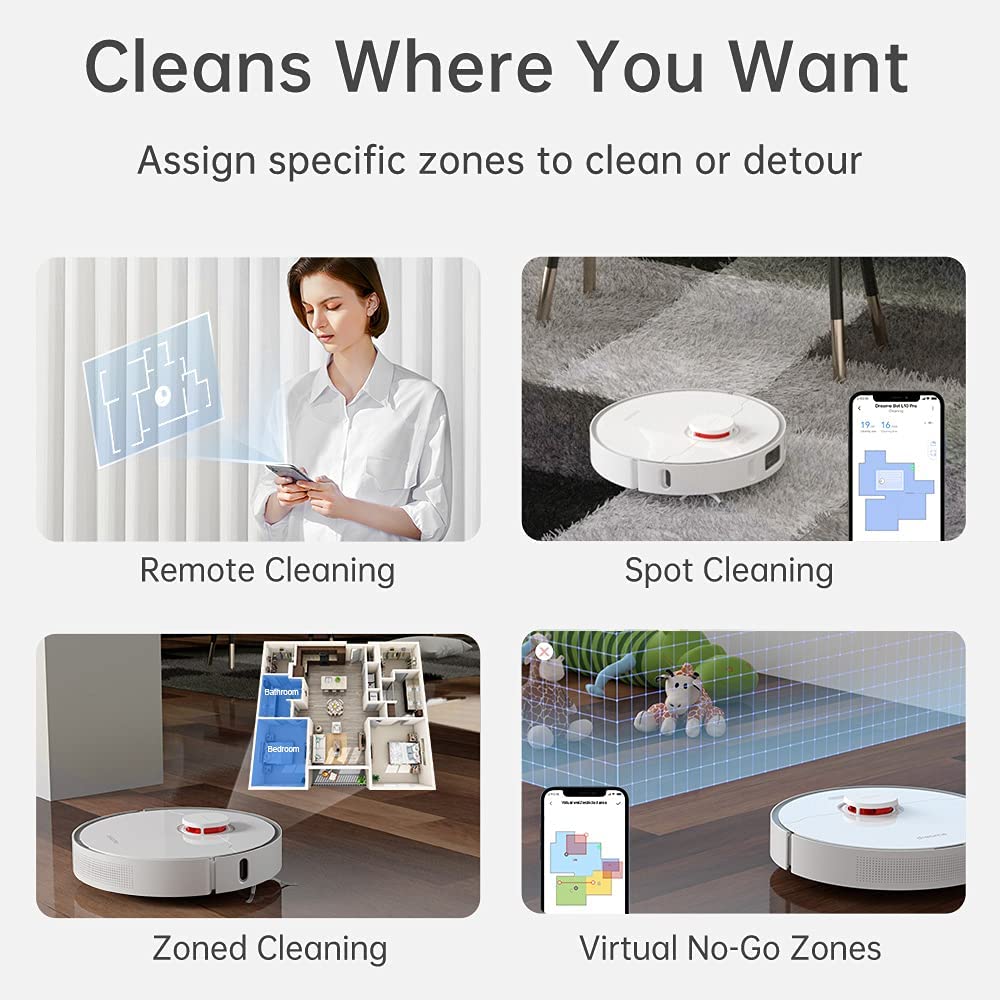
- Intelligent Mapping and Route Planning: The robot creates accurate maps of your home, allowing you to customize cleaning zones, set virtual boundaries, and schedule specific cleaning tasks for different areas.
- Adaptive Cleaning Modes: The L10 Pro offers multiple cleaning modes, including Auto, Spot, Edge, and Custom, adapting to different cleaning needs and providing targeted cleaning in specific areas.

Product Description
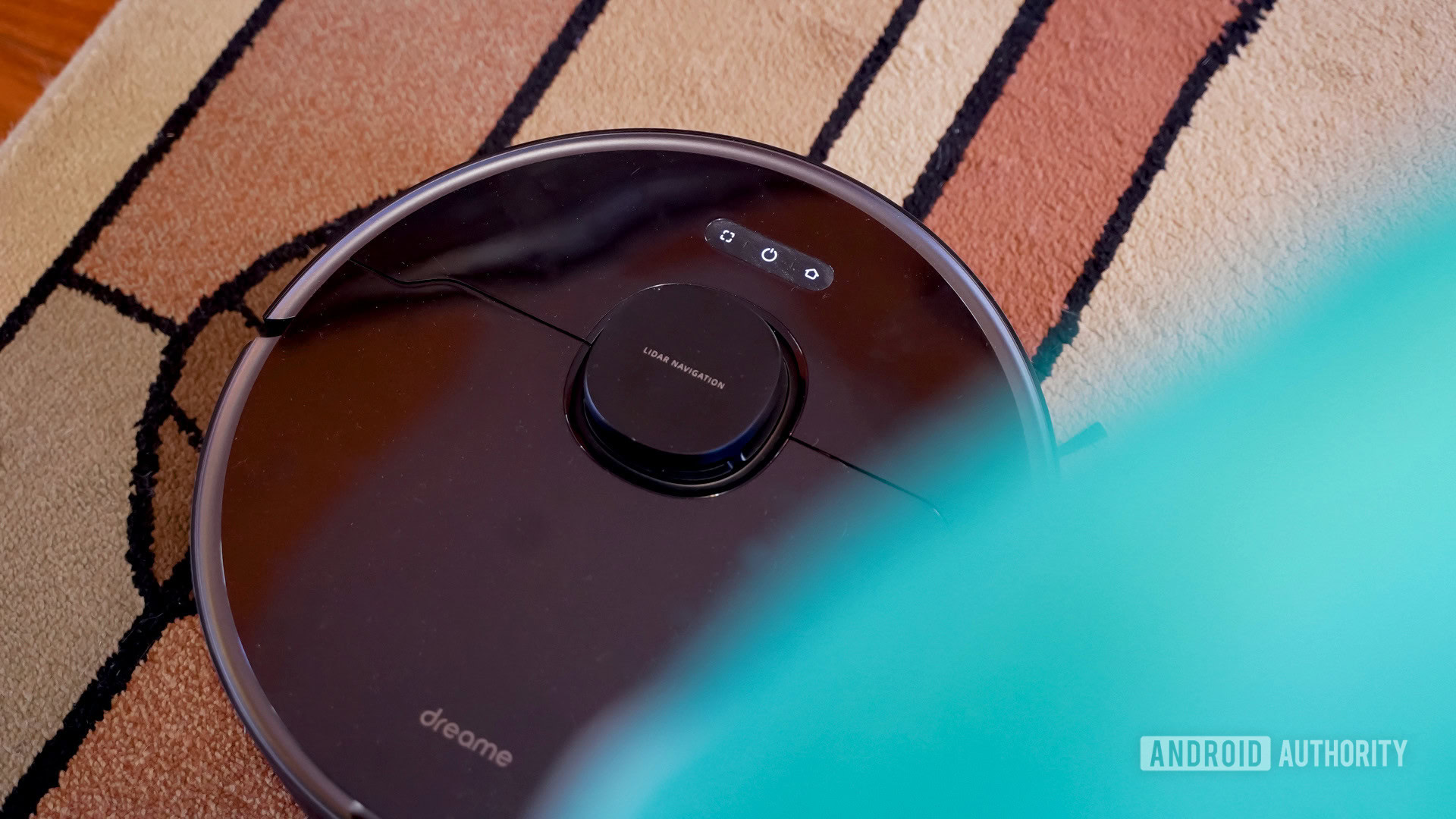
The L10 Pro needs to be seen to be believed. Robot vacuums are the future, and you’re looking at the leader. L10 Pro knows where to look, with unmatched LiDAR laser navigation. When it detects an obstacle, it slows down, avoids it and moves in another direction - pets and furniture are no obstacle. It knows to plan 8m ahead, optimizing its route and making cleaning your home its ultimate goal.
A robot vacuum shouldn’t mean skimping out on the power of a manual vacuum. L10 Pro boasts 4,000 Pa of vacuum suction, 150 minutes of runtime (before self-charging automatically) and a huge 570ml dust tank capacity alongside the massive 270ml water tank and automatic carpet sensors that power up the motor when you need it most.
It is eye-opening, with LiDAR.
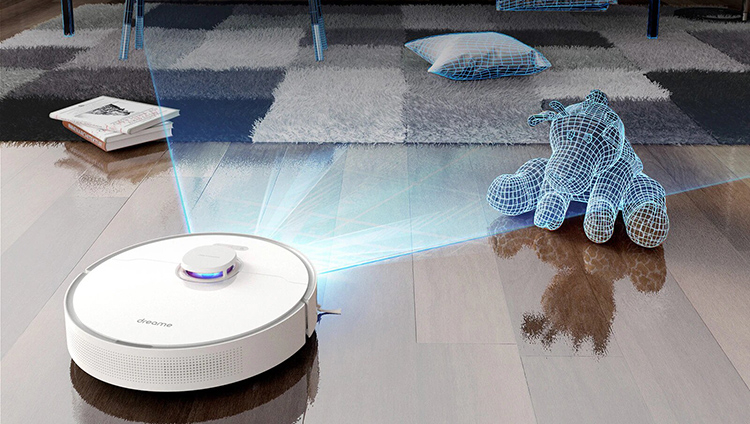
Along with the new techs of 2021, L10 Pro is meant to surprise you with its LiDAR Navigation. It scans the surrounding with two lasers to understand your home better. When a nearby obstacle is detected, it slows down and goes another way. Your furniture and pets are no longer at risk when it is L10 Pro.

Emptying your floor is not a must.
L10 Pro rebuilds a 3D environment in its brains with two lasers. Most household obstacles, such as slippers and dustbins, are avoided earlier now. Putting stuff away before cleanup is no longer a must.
Cruises in order. Plans 8m ahead.
Scanning at a radius of 8 meters, L10 Pro can come up with better cleaning paths to make sure every spot in your home is properly cleaned.
Imagine a stick vacuum inside it.
With an advanced brushless motor, L10 Pro cleans with the suction of 4,000Pa, which is another level of vacuuming. And the dust tank capacity is now expanded to 570ml (0.15gal) to store more dust on the go. On top of that, there are four suction levels to choose from which allows it to work up to 2.5 hours or reduce the working noise to 65dBA.

Untangles hair on its own.
Having a set of comb teeth in the brush module, the hair picked up by L10 Pro are mostly untangled in the clean-up. The brush is detachable, just in case you need it.
Cleans, down to earth.
The brush and the wheel are movable vertically, as if the suspension damping in a vehicle, to pick up dust and help it drive around different surfaces.
Avoids uncertainties in advance.
You can rest assured that your home won’t be messed up after this robot vacuum for its advanced navigation skills. What often traps a robot vacuum is no longer a threat to L10 Pro.
General Specifications
- Weight: 3.7kg (8.15lb)
- Connection Type: Wi-Fi 2.4GHz
- Voltage: 100-240V~50/60Hz 0.5A
- Rated Power: 46W
- Battery Capacity: 5,200mAh
- Dust Tank Capacity: 570ml (0.15gal)
- Water Tank Capacity: 270ml (0.07gal)
WHAT'S IN THE BOX
- Dreame L10 Pro Robot Vacuum & Mop Cleaner
- Charging Dock
- Power Cord
- Water Tank
- Mop Cloth
- Side brush
- Cleaning Tool
- User manual
Tips for protecting your children online
In today's digital age, ensuring your children's safety while they browse the internet is paramount. As they explore the vast online world through smartphones, gaming consoles, laptops, and other devices, it's essential to implement measures to shield them from potentially harmful content and interactions. Here are some tips to help you safeguard your children online:
1. Communication is Key
Open and ongoing communication with your children about online safety is crucial. Discuss the potential dangers they may encounter online, such as pornography, cyberbullying, and violent content. Encourage them to come to you with any concerns or questions they may have.
2. Set Clear Boundaries
Establish clear rules and boundaries regarding internet usage. Define appropriate time limits for browsing and specify which websites and apps are off-limits. Make sure your children understand the consequences of violating these rules. You can also restrict some of these apps or online content utilizing device level parental controls explained below.
3. Utilize Parental Controls
Take advantage of the parental control features available on devices and internet browsers. These controls allow you to block access to specific websites, set age-appropriate content filters, and monitor your children's online activities. Familiarize yourself with the parental control options on smartphones, gaming consoles, and laptops to effectively manage your children's online experiences.
4. Educate Yourself
Stay informed about the latest trends and technologies related to online safety. Familiarize yourself with popular social media platforms, gaming communities, and messaging apps that your children may use, including the functions they provide. This knowledge will help you understand the potential risks and take appropriate action to protect your children.
5. Monitor Their Online Activities
Regularly monitor your children's online activities to ensure they are adhering to the rules and staying safe. Keep an eye on their browsing history, social media interactions, and messaging apps. Be vigilant for any signs of cyberbullying or exposure to inappropriate content.
6. Encourage Safe Online Behavior
Teach your children about the importance of practicing safe online behavior. Remind them never to share personal information, such as their full name, address, or phone number, with strangers online. Encourage them to think critically about the content they encounter and to report anything that makes them feel uncomfortable or unsafe.
7. Lead by Example
Be a positive role model for your children by demonstrating responsible and respectful online behavior yourself. Show them how to navigate the internet safely and responsibly, and emphasize the importance of treating others with kindness and empathy online.
8. Reporting abuse, making complaints and finding more information
For additional resources and guidance on online safety, visit the Australian e-Safety Commissioner's website at www.esafety.gov.au. Here, you'll find a wealth of information, including tips for parents, educational resources for children, and tools for reporting online abuse and harassment.
You can also report abuse through the website’s online form.
By following these tips and utilizing available resources, you can help keep your children safe from pornography, cyberbullying, violent content, and other unsafe material while they navigate the internet. Remember, proactive measures and open communication are key to fostering a safe and positive online environment for your family.