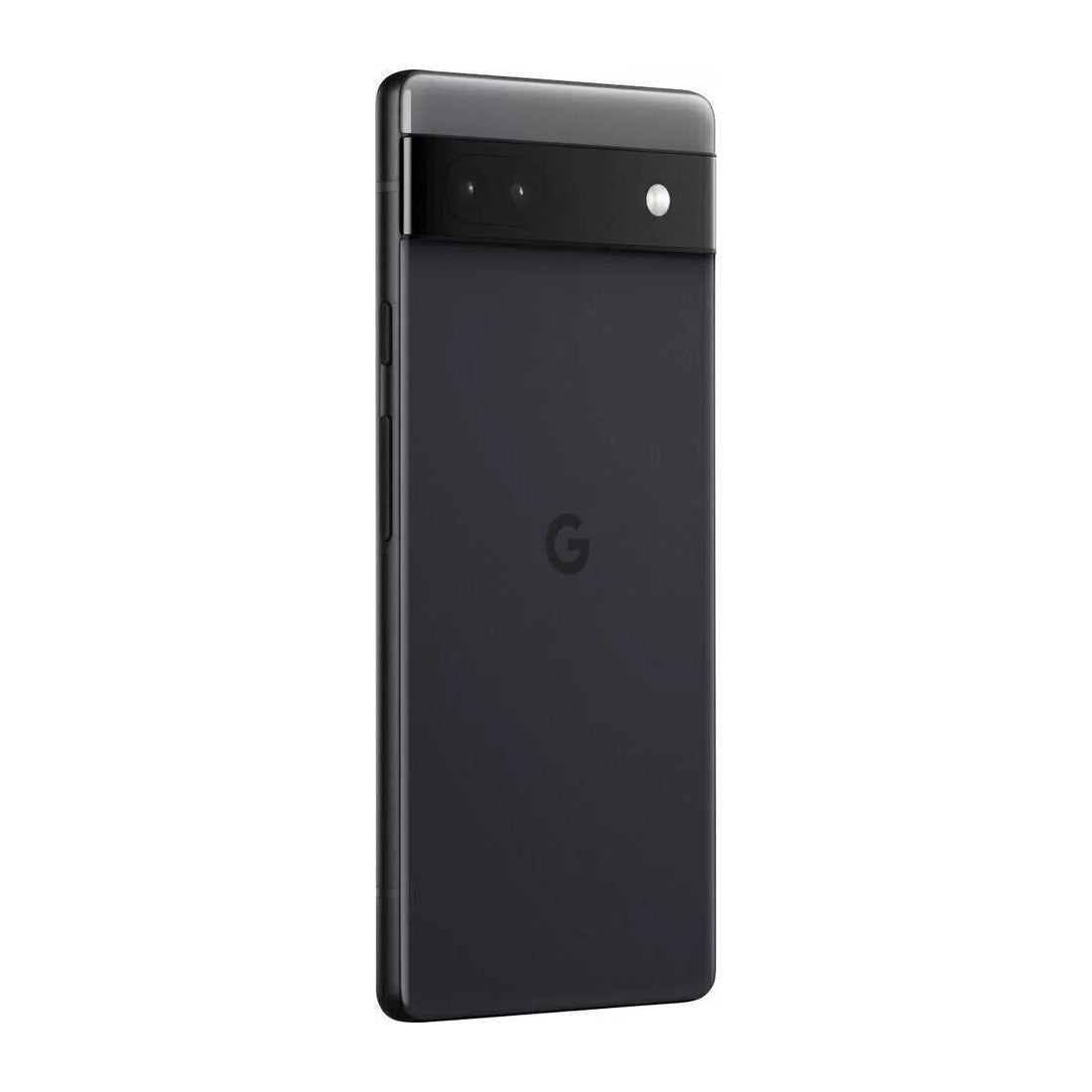
Google Pixel 6a 5G Smartphone (6gb/128gb) - Charcoal Black
- Google Pixel 6a adapts to you; it’s super fast and secure and powered by Google Tensor, the first chip designed by Google just for Pixel.
- The 6.1-inch FHD+ OLED display delivers vibrant colors and sharp details for an immersive viewing experience.
- Pixel’s fast-charging all-day battery adapts to you and saves power for the apps you use most.
- Take amazing photos with Pixel’s 12-megapixel camera and tools like Magic Eraser, Motion Mode, and Portrait Mode.
- With Google Tensor, your phone launches apps fast, pages and images load quickly, and everything runs smoothly.
- When you plug it in, Pixel 6a charges super fast; with just a few minutes of charging, your phone gets hours of power (adapters sold separately).
- Live Translate helps you translate live video captions, private chats, messages, and signs in up to 55 languages right on your cell phone.
Product Description:
Performance and Speed
The Google Pixel 6a is designed to be incredibly fast and secure, powered by Google Tensor, the first chip designed by Google specifically for Pixel. This advanced chipset ensures that your phone launches apps quickly, loads pages and images swiftly, and runs all your applications smoothly. Whether you're multitasking or gaming, the Google Tensor chip provides the performance boost you need.
Display and Design
Featuring a 6.1-inch FHD+ OLED display, the Pixel 6a delivers vibrant colors and sharp details, making every viewing experience immersive. The sleek and modern design of the Pixel 6a not only looks good but also feels comfortable in your hand, providing a premium experience at a more affordable price point.
Battery Life and Charging
Pixel 6a is equipped with a fast-charging all-day battery that adapts to your usage patterns. It intelligently saves power for the apps you use most, ensuring you stay connected throughout the day. When it's time to recharge, the Pixel 6a charges super fast—just a few minutes of charging can give your phone hours of power, although adapters are sold separately.
Camera Capabilities
Take stunning photos with the Pixel 6a’s 12-megapixel camera, which includes advanced features like Magic Eraser, Motion Mode, and Portrait Mode. These tools allow you to capture professional-quality photos effortlessly. The Magic Eraser lets you remove unwanted elements from your pictures, while Motion Mode adds dynamic effects, and Portrait Mode creates beautiful, depth-rich portraits.
Smart Features and Security
One of the standout features of the Pixel 6a is Live Translate, which can translate live video captions, private chats, messages, and signs in up to 55 languages right on your phone. This feature makes it easier to communicate and understand different languages on the go. Additionally, the Pixel 6a includes robust security features, thanks to the Titan M2 security chip, ensuring your personal data is protected at all times.
Connectivity and Compatibility
The Pixel 6a is an unlocked Android 5G phone, giving you the flexibility to change carriers and choose your own data plan. It works seamlessly with major carriers including Google Fi, Verizon, T-Mobile, and AT&T, ensuring that you stay connected wherever you are.
Software and Updates
The Google Pixel 6a runs on the latest version of Android, offering a clean and user-friendly interface with no bloatware. Regular updates directly from Google ensure that your phone stays secure and up-to-date with the latest features and improvements. The seamless integration with Google services provides an enhanced user experience, making tasks like navigation, searching, and media consumption intuitive and efficient.
Environmental Considerations
Google has also focused on sustainability with the Pixel 6a, using recycled materials in its construction. This approach not only reduces environmental impact but also emphasizes Google's commitment to eco-friendly practices. Additionally, the packaging is designed to be minimalistic and recyclable, aligning with global efforts to reduce electronic waste.
Specifications:
-
Operating System: Android 12
-
Phone Type: Google Pixel 6a
-
Network compatibility: 5G
-
SIM type: Nano-SIM and eSIM
-
Dual SIM (nano-SIM+ eSIM): Yes
-
Colour: Charcoal, Chalk, Sage
-
Screen size (inches): 6.1
-
Resolution (Pixels): 2400 x 1080
-
Display type: OLED
-
Touchscreen: Yes
-
Internal storage: 128GB
-
Battery capacity (mAh): 4410
-
Wireless Charging Type: Not supported
-
Processor: Google Tensor
-
RAM (GB): 6
-
Rear Cameras (MP): 12.2MP (wide) + 12MP (ultrawide)
-
Front camera (MP): 8MP
-
Built-in flash: Yes
-
Video recording: 4K
-
Video Frames Per Second: 4K video recording at 30 FPS, 60 FPS
-
Environmental protection: Water-resistant (IP67)
-
GPS: Yes
-
USB (Type-C) Port: 3.1
-
NFC: Yes
-
Wi-Fi: Wi-Fi 6 (802.11 ax)
-
Bluetooth: v5.2
What's In The Box:
- Google Pixel 6a handset
- USB-C to USB-C cable
- USB-C to USB-A adapter (Quick Switch Adapter)
- SIM tool
- Quick Start Guide
- Safety and Warranty information