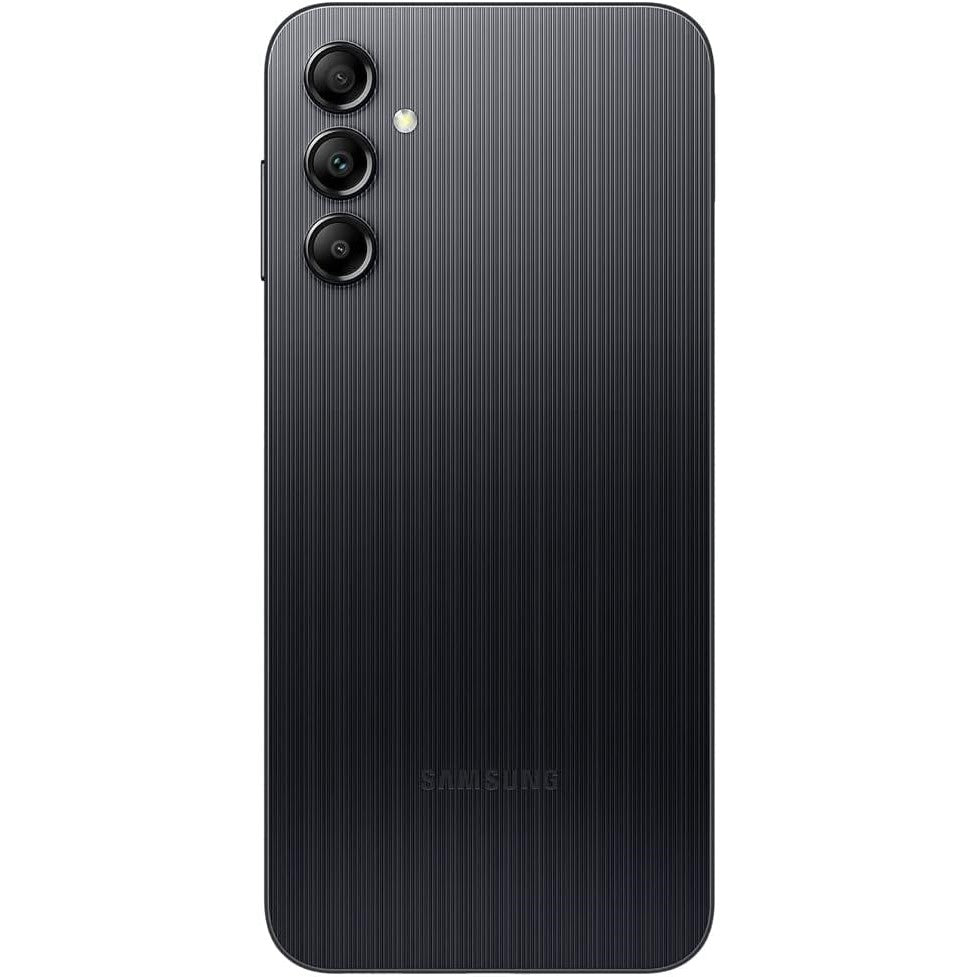
Samsung A14 4G 4GB/128GB - Black ( Open Never Used )
- Display: 6.6-inch FHD+ PLS LCD, 90Hz refresh rate
- Processor: MediaTek Helio G80 chipset for smooth performance
- RAM: 4GB RAM for multitasking efficiency
- Storage: 128GB internal storage, expandable via microSD card (up to 1TB)
- Rear Camera: Triple camera setup - 50MP (main), 2MP (macro), 2MP (depth)
- Front Camera: 13MP for clear selfies
- Battery: 5000mAh battery with 15W fast charging support
- Operating System: Android 13 with One UI 5.1
- Design: Sleek and durable design, with a Black finish
- Connectivity: 4G LTE, Wi-Fi, Bluetooth 5.0, USB Type-C
- Security: Side-mounted fingerprint scanner, Face unlock
- Other Features: Dual SIM support, 3.5mm headphone jack, Dolby Atmos support for sound
Product Description :
Sleek and Stylish Design
The Samsung A14 4G in Black combines sleek aesthetics with durability, offering a design that feels premium in hand. Its smooth finish, coupled with a large 6.6-inch display, gives the phone a modern, minimalist look. The lightweight build ensures comfort even during extended use, making it an ideal choice for daily tasks.
Immersive Display Experience
The phone features a 6.6-inch FHD+ PLS LCD display with a 90Hz refresh rate, providing vibrant colors and smooth visuals for an enhanced viewing experience. Whether you're watching videos, playing games, or browsing, the sharp resolution ensures all content looks crisp and clear. The 90Hz refresh rate offers a smoother scrolling experience, especially when browsing through apps and social media.
Powerful Performance with MediaTek Helio G80
At the heart of the Samsung A14 4G is the MediaTek Helio G80 chipset. This powerful octa-core processor ensures smooth and efficient performance, whether you're multitasking, gaming, or using demanding apps. Coupled with 4GB of RAM, the phone can handle various tasks without lag, offering a seamless experience for both work and play.
Ample Storage for All Your Needs
With 128GB of internal storage, the Samsung A14 provides plenty of room for apps, photos, videos, and documents. You can also expand the storage with a microSD card (up to 1TB), allowing you to store even more content without worrying about running out of space. Whether you're into photography, gaming, or storing media, this phone has you covered.
Triple Camera Setup for Stunning Photography
Capture your world in high detail with the Samsung A14's versatile triple-camera setup. The 50MP primary camera ensures clear and sharp photos in any lighting, while the 2MP macro camera lets you take detailed close-ups of objects. The 2MP depth sensor allows for professional-looking portraits with blurred backgrounds, adding a creative touch to your photos. On the front, the 13MP selfie camera ensures you always look your best in photos and video calls.
Long-Lasting Battery Life
Equipped with a massive 5000mAh battery, the Samsung A14 4G can easily last through a full day of use, whether you're browsing, streaming, or gaming. The phone also supports 15W fast charging, allowing you to recharge quickly and get back to using your phone in no time. This long-lasting battery ensures you're always powered up, even during your busiest days.
User-Friendly Software Experience
Running on Android 13 with Samsung's One UI 5.1, the Samsung A14 offers an intuitive and user-friendly interface. The One UI enhances the overall experience with features like customizable themes, enhanced privacy settings, and an efficient multitasking interface. The software is designed to help you navigate your phone with ease, offering smooth performance and regular software updates.
Enhanced Security and Connectivity
Your data and privacy are secured with the Samsung A14's side-mounted fingerprint scanner and Face unlock technology. Whether you're unlocking your phone or securing apps, these biometric options provide quick and secure access. The phone also supports 4G LTE connectivity, Wi-Fi, Bluetooth 5.0, and a USB Type-C port, ensuring fast and reliable connections for browsing, streaming, and file transfers. Additionally, the inclusion of a 3.5mm headphone jack provides flexibility for your audio needs.
Specifications :
- 6.6-inch FHD+ PLS LCD, 90Hz refresh rate
- Resolution: 2408 x 1080 pixels
- MediaTek Helio G80 (Octa-core)
- GPU: Mali-G52
- 4GB
- 128GB internal storage
- Expandable via microSD card (up to 1TB)
-
Rear Camera:
- 50MP (f/1.8, wide)
- 2MP (f/2.4, macro)
- 2MP (f/2.4, depth)
-
Front Camera:
- 13MP (f/2.0)
- 5000mAh
- 15W fast charging
- Android 13, One UI 5.1
- 4G LTE, Wi-Fi 802.11 a/b/g/n/ac
- Bluetooth 5.0
- USB Type-C
What's In The Box :
- Samsung Galaxy A14 4G Smartphone
- USB Type-C to USB Type-C Cable
- SIM Card Tray Ejector Tool
- Quick Start Guide
Condition :
( Open Never Used )