Samsung Galaxy S24 Ultra 5G 512GB Titanium Violet – Pristine Refurbished (AU Version)
Elevate your smartphone experience with the Samsung Galaxy S24 Ultra 5G (512GB, Titanium Violet) a powerhouse of innovation with Galaxy AI, an ultra-detailed 200MP camera, and immersive 6.8” QHD+ AMOLED display. Designed with premium Titanium and an integrated S Pen, it delivers pro-level productivity and next-gen intelligence. Enjoy seamless multitasking, AI-driven tools, and all-day power with a 5000mAh battery.
-
Galaxy AI Integration: Unlock smarter communication and productivity with Live Translate, Note Assist, and Photo Assist all powered by Galaxy AI.
-
Circle to Search: Search anything instantly just circle the object on your screen and get results powered by AI.
-
Immersive 6.8" Display: QHD+ AMOLED 2X display with ultra-clear visuals and an Always-On Display for nonstop updates.
-
Ultra 200MP Camera: Pro-grade quad-camera system with Nightography, 5x and 10x telephoto lenses, and Photo Assist editing.
-
Long-Lasting Battery: 5000mAh battery designed to power you through intense usage, gaming, and streaming.
-
Premium Titanium Build: Strong, lightweight Titanium frame offers a sleek feel and ultra-durable finish.
-
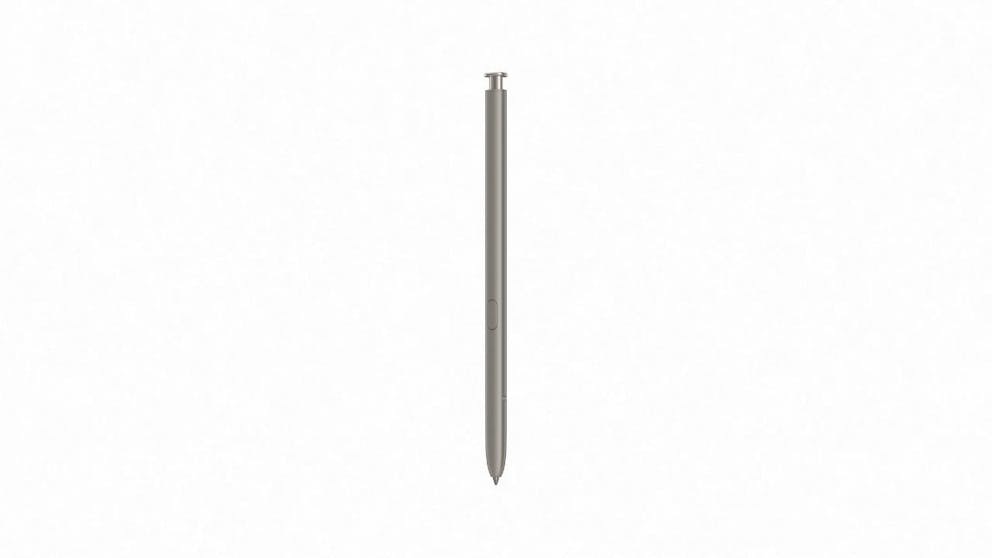
Integrated S Pen: Take notes, sketch, or navigate with ease using the iconic built-in S Pen.
-
Flagship Snapdragon Performance: Lightning-fast Snapdragon 8 Gen 3 chip paired with 12GB RAM for smooth multitasking.
Product description:
Smarter Than Ever with Galaxy AI
The Galaxy S24 Ultra takes a leap forward with integrated Galaxy AI features like Live Translate, Photo Assist, and Note Assist. These tools work seamlessly behind the scenes to make communication, productivity, and creativity smarter and more intuitive than ever.
Search What You See
Circle to Search introduces a powerful new way to find what you love. Want to learn more about something in a photo or video? Simply draw a circle around it and your phone finds the information for you instantly no typing needed.
Break Language Barriers
With Live Translate, powered by Galaxy AI, voice and text translations happen in real time during calls or chats. Say goodbye to confusion and hello to global connection.
Smarter Notes in Seconds
Take your productivity to new heights with Note Assist. Summarize long text, format lists, and stay organized—all with the help of AI. Perfect for students, professionals, or anyone who likes to keep their life tidy.
Shoot in Ultra Definition
A 200MP wide-angle lens, 50MP 10x zoom, and enhanced low-light performance make the S24 Ultra’s camera system one of the most powerful in any smartphone. Add Photo Assist to enhance, erase, or remaster your shots effortlessly.
True-to-Life Visuals on a 6.8” Display
The QHD+ AMOLED 2X screen offers rich colors, sharp resolution, and ultra-smooth scrolling. With reduced bezels and Always-On Display, you get more screen and fewer distractions.
Battery That Keeps Up
Stay productive, entertained, and connected longer with the 5000mAh battery. Whether you’re streaming, gaming, or using AI tools, the battery is built to go the distance with fast charging support.
Built to Impress with Titanium
Crafted from real Titanium, the Galaxy S24 Ultra combines luxury with durability. It feels light in the hand but tough enough to endure everyday wear and tear, making it a premium choice for any user.
Productivity in Your Pocket with S Pen
Jot notes, sketch ideas, or scroll without touching the screen using the integrated S Pen. The Ultra is not just a smartphone it’s your creative studio and productivity partner.
Performance That Never Backs Down
Running on the Snapdragon 8 Gen 3 chipset and 12GB RAM, the Galaxy S24 Ultra handles multitasking, gaming, and AI features with zero lag. Unlocked and dual SIM-capable, it’s built for global users and power professionals.
Specifications:
-
Brand: Samsung
-
Model: Galaxy S24 Ultra (SM-S928BZKEATS)
-
Colour: Titanium Violet
-
Condition: New – Brand New / Sealed
-
Dimensions: 162.3 x 79 x 8.6 mm
-
Weight: 233 g
-
OS Version: Android 14
-
Display: 6.8" Dynamic LTPO AMOLED 2X
-
Resolution: 1440 x 3120 pixels
-
Adaptive Refresh Rate: 1–120Hz
-
Chipset: Qualcomm Snapdragon 8 Gen 3 (4 nm)
-
CPU: 8-core (1x3.39GHz Cortex-X4, 3x3.1GHz Cortex-A720, 2x2.9GHz Cortex-A720, 2x2.2GHz Cortex-A520)
-
RAM: 12GB
-
Storage: 512GB
-
Expandable Storage: No (No MicroSD Slot)
- Rear Cameras:
- 200MP (Wide, f1.7)
- 10MP (Telephoto, f2.4) 5x Optical Zoom
- 50MP (Telephoto, f3.4) 10x Optical Zoom
- 12MP (Ultra Wide, f2.2)
-
Front Camera: 12MP Dual Pixel AF (f2.2)
-
Features: Nightography, Photo Assist, Object Eraser, Note Assist
-
Battery Capacity: 5000 mAh
-
Fast Charging: Supported
-
Network: 5G / 4G / 3G
-
SIM Type: Dual SIM (Nano + eSIM)
-
Network Lock: Unlocked
-
Ports: USB Type-C
-
NFC: Yes
-
Fingerprint Sensor: Yes
-
Face Recognition: Yes