After several months of use, I can confidently say this device has become a permanent fixture on my desk—and not just because I’m too busy to unplug it. The voice dictation works impressively well, saving both time and keyboard wear, while the video quality is sharp enough to make even Monday morning Zoom calls look respectable.
Whether you’re conferencing or simply attempting to look professional from your home office, the performance is consistently reliable. As someone with over 25–30 years in the IT industry, I don’t hand out praise lightly—but in this case, it’s well deserved.
In short, this is an excellent choice for everyday office use. Logitech continues its long-standing tradition of delivering quality products—thankfully, without requiring an IT support ticket to get started.
If only every piece of tech behaved this well, IT departments everywhere could finally take a proper coffee break.
Telstra
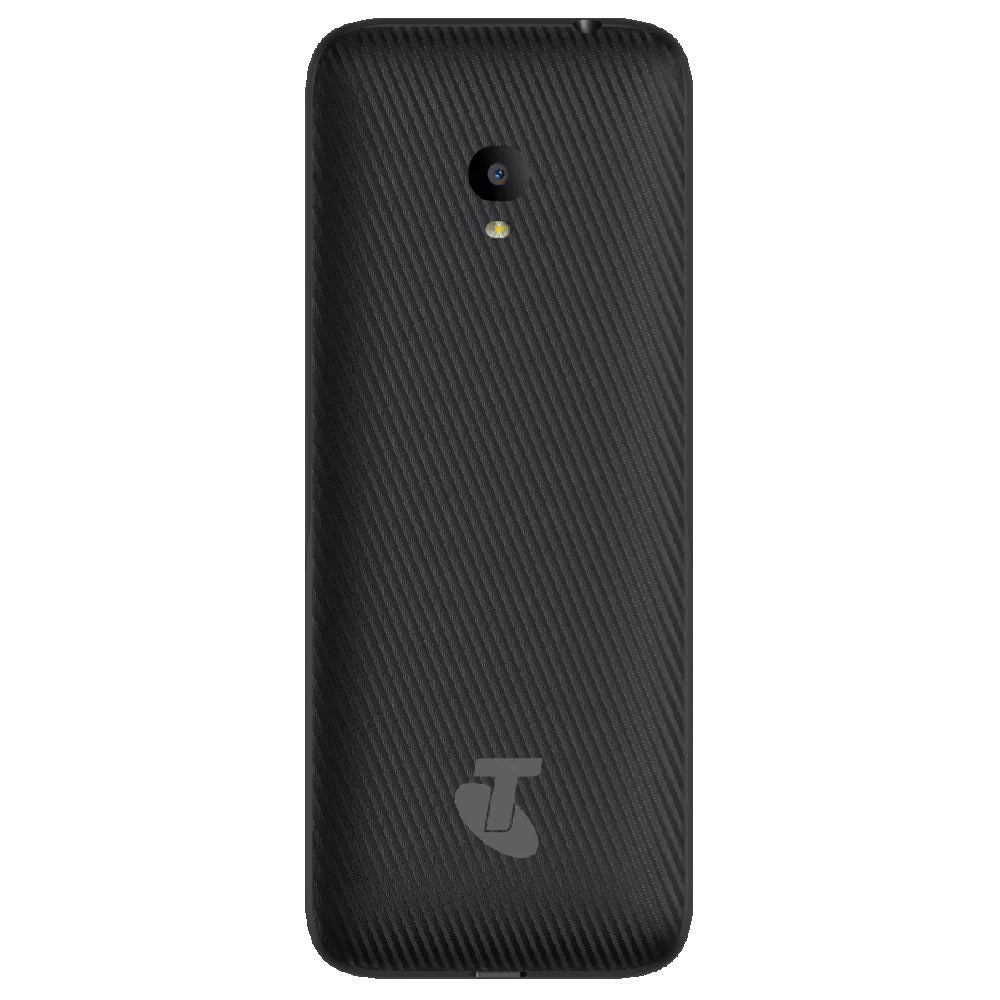
Telstra Lite 3 Prepaid Push Button Phone 4GX - Black ( Open Never Used )
Out of stock
Couldn't load pickup availability
Share
Telstra Lite 3 Prepaid Push Button Phone 4GX - Black ( Open Never Used )
- 4GX Network Support: Enjoy fast mobile data and improved network connectivity with 4GX support.
- Large, Easy-to-Read Display: Features a 2.4-inch screen, designed for ease of viewing and navigating.
- Push Button Design: A traditional push-button layout for users who prefer physical keys over touchscreens.
- Simple, Easy-to-Use Interface: Designed for simplicity, ideal for seniors or those who want a straightforward mobile experience.
- Prepaid Plan: Comes with prepaid functionality, so there’s no need for long-term contracts.
- Large Buttons: Oversized buttons for easy dialing, making it user-friendly for those with limited dexterity.
- 2 MP Rear Camera: Basic camera for simple photos or videos.
- FM Radio: Listen to your favorite radio stations on the go.
- Bluetooth Connectivity: Connect to Bluetooth-enabled devices like headsets or speakers.
- Expandable Storage: Supports microSD cards up to 32 GB for additional storage of photos, music, and contacts.
- Long Battery Life: Long-lasting battery to ensure you stay connected throughout the day.
Product Description :
4GX Network for Fast Connectivity
The Telstra Lite 3 supports 4GX network connectivity, ensuring fast data speeds and improved network coverage. Whether you're browsing the internet, sending messages, or making calls, the phone is optimized for a smoother and faster mobile experience, even in areas with limited network coverage.
Simple Push-Button Design
With its traditional push-button design, the Telstra Lite 3 offers a straightforward mobile experience. The large, tactile buttons make dialing numbers and navigating the menu much easier, particularly for individuals with limited dexterity or those not accustomed to touchscreens. The classic keypad layout ensures users can quickly and comfortably perform essential tasks without confusion.
User-Friendly Interface
Designed with simplicity in mind, the Telstra Lite 3 offers an uncomplicated interface that is easy to navigate. This makes it a great choice for anyone who doesn’t need or want complex features and prefers a phone that just works. The interface ensures that users can quickly access the essential features like calling, texting, and camera use without any hassle.
Camera for Simple Photos and Videos
While the Telstra Lite 3 isn’t a smartphone with advanced camera capabilities, it does feature a 2 MP rear camera for basic photos and videos. This camera is perfect for users who want to capture simple moments, such as pictures of friends, family, or events, without the need for advanced camera settings or features.
Expandable Storage
The Telstra Lite 3 comes with 32 GB of internal storage, which is sufficient for storing contacts, messages, photos, and a few apps. However, for users who need more space, the phone also supports microSD cards up to 32 GB, allowing you to expand the storage for additional media like music, videos, or documents.
Long-Lasting Battery Life
The Telstra Lite 3 is designed to keep you connected throughout the day with its long-lasting battery. Whether you're making calls, sending texts, or browsing the web, the phone provides reliable performance. The energy-efficient design ensures that the phone lasts for hours, making it perfect for users who need a phone that won't run out of charge quickly.
Emergency Features for Safety
One of the standout features of the Telstra Lite 3 is its dedicated SOS button, which provides peace of mind in case of an emergency. The button can be programmed to dial an emergency contact or send an alert, offering an added layer of security for users. Additionally, the phone supports FM radio and Bluetooth connectivity, providing entertainment and easy pairing with wireless devices.
Specifications :
- Model: Telstra Lite 3
- Type: Prepaid Push Button Phone
- Network: 4GX (4G LTE)
- SIM Type: Nano SIM
- Operating System: Proprietary (basic feature phone OS)
- Screen Size: 2.4 inches
- Resolution: 240 x 320 pixels
- Display Type: TFT LCD
- Screen Features: Large, easy-to-read display for simplified navigation
- Internal Storage: 32 GB
-
Expandable Storage: Supports microSD card up to 32 GB
- RAM: 2 GB
- Rear Camera: 2 MP
-
Camera Features: Basic photo and video capabilities
- Battery Capacity: 1,000 mAh
- Battery Life: Up to 8 hours talk time, up to 250 hours standby time
- Charging: Micro USB
What's In The Box :
- Telstra Lite 3 Prepaid Push Button Phone
- Battery
- USB Charger
- Quick Start Guide
Condition :
( Open Never Used )
Tips for protecting your children online
In today's digital age, ensuring your children's safety while they browse the internet is paramount. As they explore the vast online world through smartphones, gaming consoles, laptops, and other devices, it's essential to implement measures to shield them from potentially harmful content and interactions. Here are some tips to help you safeguard your children online:
1. Communication is Key
Open and ongoing communication with your children about online safety is crucial. Discuss the potential dangers they may encounter online, such as pornography, cyberbullying, and violent content. Encourage them to come to you with any concerns or questions they may have.
2. Set Clear Boundaries
Establish clear rules and boundaries regarding internet usage. Define appropriate time limits for browsing and specify which websites and apps are off-limits. Make sure your children understand the consequences of violating these rules. You can also restrict some of these apps or online content utilizing device level parental controls explained below.
3. Utilize Parental Controls
Take advantage of the parental control features available on devices and internet browsers. These controls allow you to block access to specific websites, set age-appropriate content filters, and monitor your children's online activities. Familiarize yourself with the parental control options on smartphones, gaming consoles, and laptops to effectively manage your children's online experiences.
4. Educate Yourself
Stay informed about the latest trends and technologies related to online safety. Familiarize yourself with popular social media platforms, gaming communities, and messaging apps that your children may use, including the functions they provide. This knowledge will help you understand the potential risks and take appropriate action to protect your children.
5. Monitor Their Online Activities
Regularly monitor your children's online activities to ensure they are adhering to the rules and staying safe. Keep an eye on their browsing history, social media interactions, and messaging apps. Be vigilant for any signs of cyberbullying or exposure to inappropriate content.
6. Encourage Safe Online Behavior
Teach your children about the importance of practicing safe online behavior. Remind them never to share personal information, such as their full name, address, or phone number, with strangers online. Encourage them to think critically about the content they encounter and to report anything that makes them feel uncomfortable or unsafe.
7. Lead by Example
Be a positive role model for your children by demonstrating responsible and respectful online behavior yourself. Show them how to navigate the internet safely and responsibly, and emphasize the importance of treating others with kindness and empathy online.
8. Reporting abuse, making complaints and finding more information
For additional resources and guidance on online safety, visit the Australian e-Safety Commissioner's website at www.esafety.gov.au. Here, you'll find a wealth of information, including tips for parents, educational resources for children, and tools for reporting online abuse and harassment.
You can also report abuse through the website’s online form.
By following these tips and utilizing available resources, you can help keep your children safe from pornography, cyberbullying, violent content, and other unsafe material while they navigate the internet. Remember, proactive measures and open communication are key to fostering a safe and positive online environment for your family.