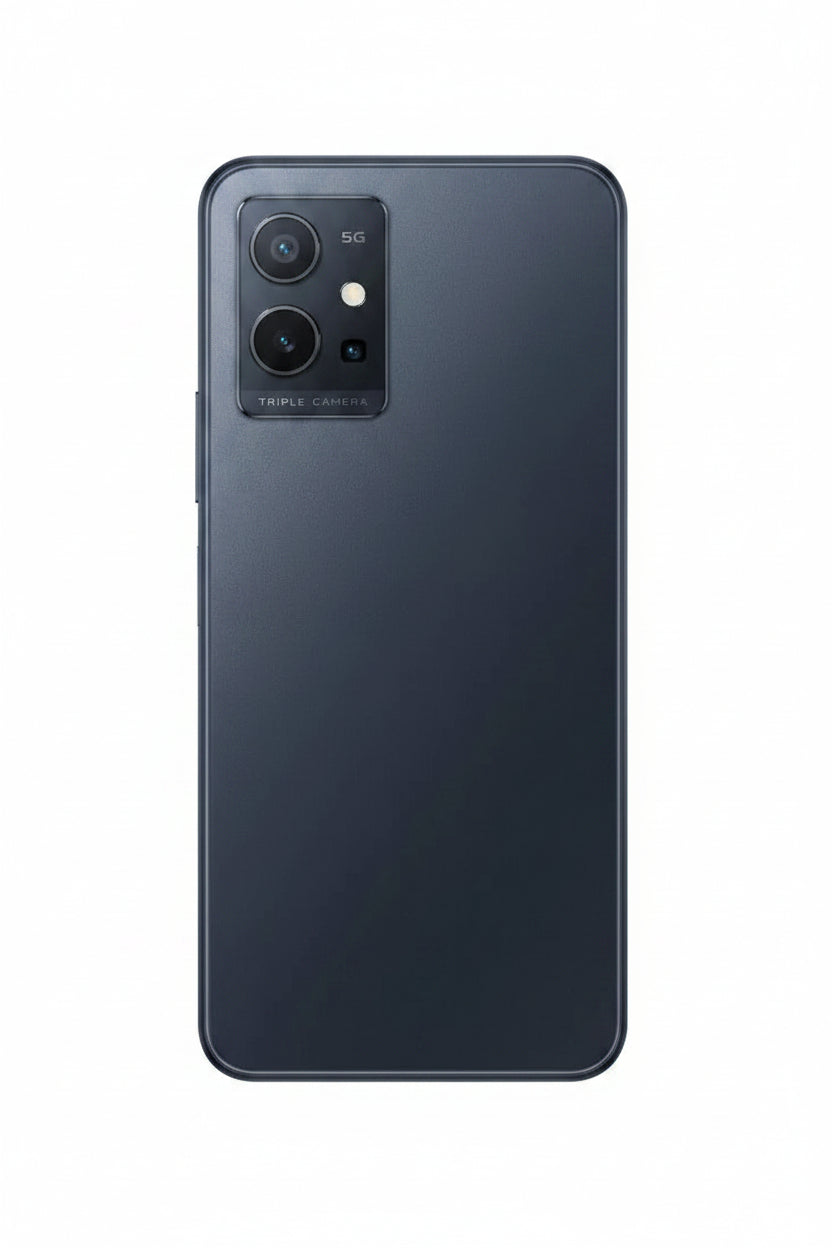
Vivo Y55 5G 4GB/128GB - Black ( Open Never Used )
- Display: 6.58-inch FHD+ LCD, 2408 x 1080 pixels, 90Hz refresh rate
- Processor: MediaTek Dimensity 700 5G chipset for fast and efficient performance
- RAM & Storage: 4GB RAM + 128GB internal storage, expandable via microSD card up to 1TB
- Operating System: Funtouch OS 12 based on Android 12
- Camera Setup:
- Rear: Dual-camera system, 50MP main sensor, 2MP depth sensor
- Front: 8MP camera for selfies
- Battery: 5000mAh battery with 18W fast charging
- Connectivity: 5G support, Wi-Fi, Bluetooth 5.1, USB Type-C
- Design: Sleek and stylish design with a Black color finish
- Security: Side-mounted fingerprint sensor for easy unlocking
- Other Features: Dual SIM support, AI-powered camera features, and multiple color modes
Product Description :
Powerful Performance with MediaTek Dimensity 700
At the heart of the Vivo Y55 5G is the MediaTek Dimensity 700 5G chipset, designed to offer excellent performance while being power-efficient. With its octa-core processor and Mali-G57 GPU, the smartphone can handle multitasking, gaming, and demanding apps with ease. The 4GB RAM ensures smooth operations, allowing you to switch between apps effortlessly. Whether you're playing games, watching videos, or browsing the web, the Vivo Y55 delivers a lag-free experience.
Ample Storage for All Your Needs
The Vivo Y55 offers 128GB of internal storage, providing ample space for apps, photos, videos, and other media. For users who require more space, the device supports expandable storage via a microSD card, allowing you to increase storage capacity up to 1TB. This feature ensures you never run out of space for your important files, games, or documents, making it a perfect choice for users with heavy storage needs.
Impressive Dual Rear Cameras
The Vivo Y55 features a versatile 50MP dual-camera setup that captures stunning photos in any lighting condition. The primary 50MP camera delivers sharp, clear, and vibrant images, while the 2MP depth sensor enhances portrait shots by creating a natural bokeh effect. Whether you're capturing landscapes, portraits, or close-ups, the Y55 ensures excellent image quality. The AI-powered camera system offers a range of modes to enhance your photos, including Night Mode, Super Macro, and more.
Selfie Camera for Clear Self-Portraits
For selfie enthusiasts, the Vivo Y55 comes with an 8MP front camera designed to deliver clear and natural-looking selfies. The camera uses AI algorithms to enhance your selfies with features like AI Beautify, ensuring you look your best in every shot. Whether you're taking a quick selfie or recording a video, the front camera produces bright and sharp images, making it perfect for social media sharing.
Long-Lasting Battery Life
The Vivo Y55 5G is equipped with a 5000mAh battery, providing a full day of usage on a single chae. Whether you're streaming videos, gaming, or working, the large battery capacity ensures you stay connected without constantly needing to recharge. Additionally, the device supports 18W fast charging, so you can quickly recharge the battery and get back to using your phone with minimal downtime.
Advanced Connectivity and Features
The Vivo Y55 supports 5G connectivity, offering faster download and upload speeds, smoother video calls, and improved gaming performance. It also features Wi-Fi, Bluetooth 5.1, and USB Type-C for enhanced connectivity options. With dual SIM support, you can manage both personal and work numbers on a single device, making it a great option for users who need to stay connected at all times.
Enhanced Security and Software Features
The Vivo Y55 incorporates advanced security features, including a side-mounted fingerprint sensor for quick and secure unlocking. The phone runs on Funtouch OS 12, which is based on Android 12, bringing a range of customization options and improvements. From AI-powered features to a smooth and user-friendly interface, the Vivo Y55 ensures that you get the best software experience, with regular updates and optimizations to keep your device running smoothly.
Specifications :
- 700 5G (Octa-core)
- GPU: Mali-G57
- RAM: 4GB
- Screen Size: 6.58 inches
- Type: FHD+ LCD
- Resolution: 2408 x 1080 pixels
- Aspect Ratio: 20:9
- Refresh Rate: 90Hz
- Processor: MediaTek Dimensity
- Internal Storage: 128GB
- Expandable Storage: Yes, via microSD card up to 1TB
- Rear Camera:
- Primary: 50MP (f/1.8)
- Secondary: 2MP depth sensor (f/2.4)
- Features: AI camera, Night Mode, Super Macro, HDR, Panorama
- Video Recording: 1080p@30fps
- Front Camera:
- Selfie Camera: 8MP (f/2.0)
- Features: AI Beautify, Portrait Mode
- Battery Capacity: 5000mAh
- Charging: 18W Fast Charging (USB Type-C)
- Network: 5G, 4G LTE
- Wi-Fi: 802.11 a/b/g/n/ac, Dual-band
- Bluetooth: 5.1
- GPS: A-GPS, GLONASS, GALILEO, BDS
- USB: Type-C 2.0
What's In The Box :
- Vivo Y55 5G Smartphone
- USB Type-C to Type-A Cable
- 18W Fast Charger
- SIM Card Tray Ejector Tool
- Quick Start Guide
Condition :
( Open Never Used )